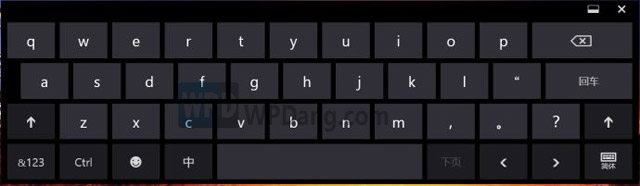
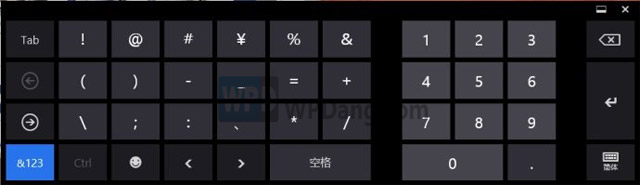
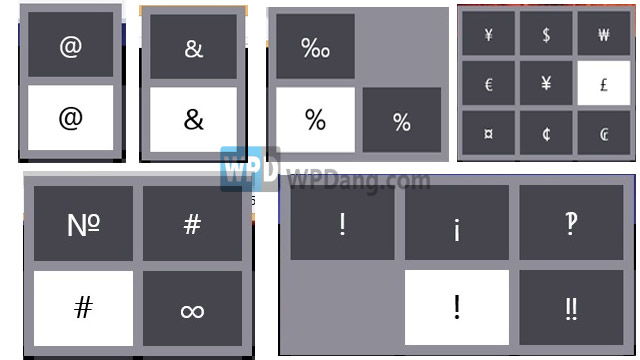
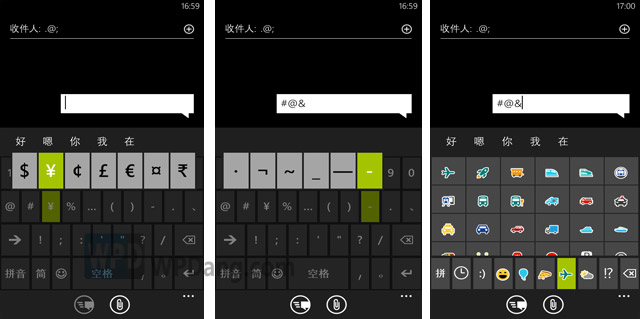
Windows 8 虛擬觸控鍵盤藏有實用彩蛋:長按符號鍵超過 2 秒,彈出更多同類特殊符號,支援觸控與滑鼠操作,大幅簡化特殊字元輸入流程。
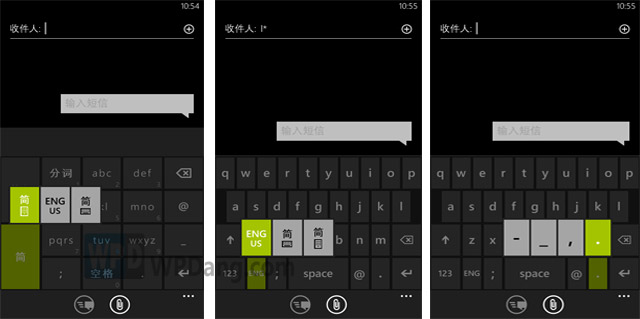
WP8 虛擬鍵盤提供更豐富的隱藏符號:貨幣符號、多種標點、表情符號等,同樣透過長按取得。
這項隱藏技巧讓文件編輯不再需要在輸入法中苦苦搜尋符號,歡迎大家發掘更多 Win8 便利小技巧分享。
Windows 8.1 無法睡眠或喚醒失敗?關閉混合睡眠即可解決
Windows 8 更新後黑屏無法開機?系統還原與修復完整指南
Win8 查看無線網路流量使用情況 一鍵掌握用量
Win 8.1 內建數學輸入面板:手寫輸入數學公式並轉換為 MathML/LaTeX
Windows 8.1 設定登入後直接進入傳統桌面
Win8 備份登錄檔完整步驟:修改前必做的保險
Win8.1 任务管理器启动项出现 "Program" 条目?可安全禁用,系统配置工具验证
Win7 升級 Win8.1 Update 完整教學:升級助手檢查相容性、建立安裝媒體