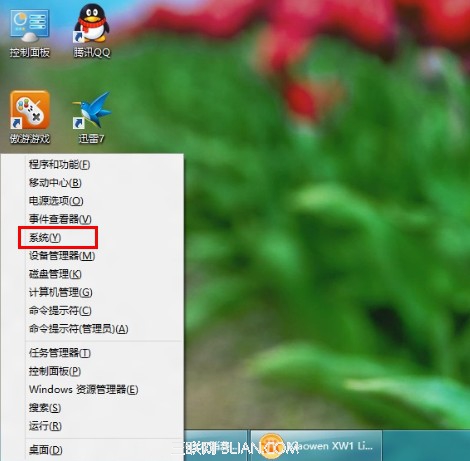
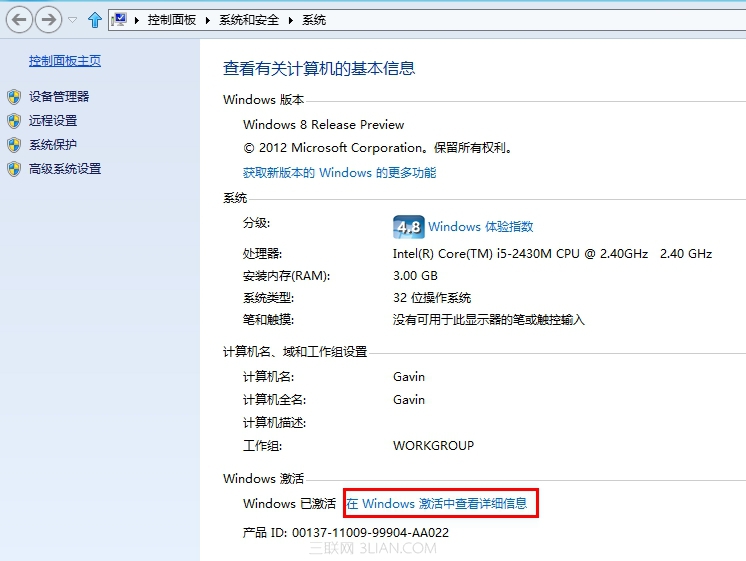
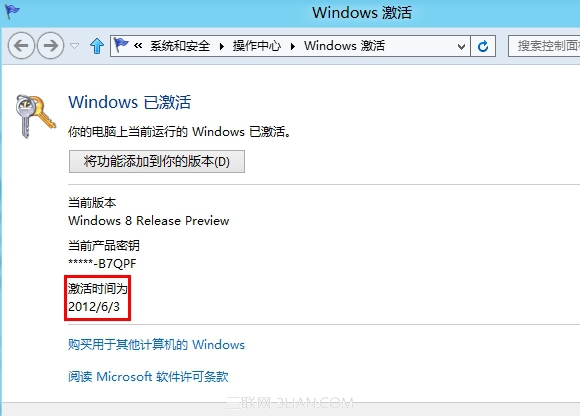
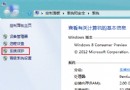
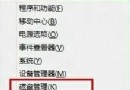
需確認 Windows 8 授權啟用時間?透過系統屬性即可快速查看。
此法適用於確認授權狀態、重新啟用後的時間紀錄等需求。
Windows 8.1 三大必學快速鍵:Win+C、Win+Tab、Win+T 提升鍵盤操作效率
Win8 IE10 瀏覽器隱藏連結底線:Internet 選項進階設定
Windows 8 應用商店顯示未連網解決:修改 DNS 為 8.8.8.8 (Google Public DNS)
Win 8 更新策略選擇指南:四種自動更新模式優缺點分析與建議
Windows 8 圖片密碼建立完整教學:觸控裝置登入新體驗
Win8.1 安裝軟體提示「已註冊的金鑰組無效」?執行「還原電腦不影響檔案」修復系統元件
Lenovo IdeaPad Win8 無線網路設定灰色無法調整?移除電源管理軟體解決
Win8 將 IE 瀏覽器釘選到工作列 三步驟快速完成