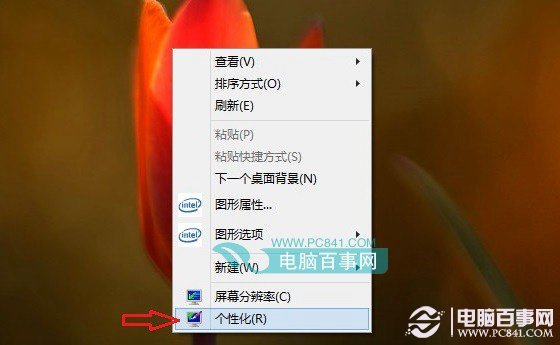
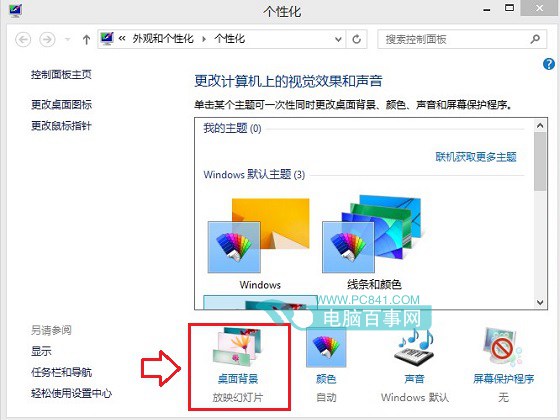
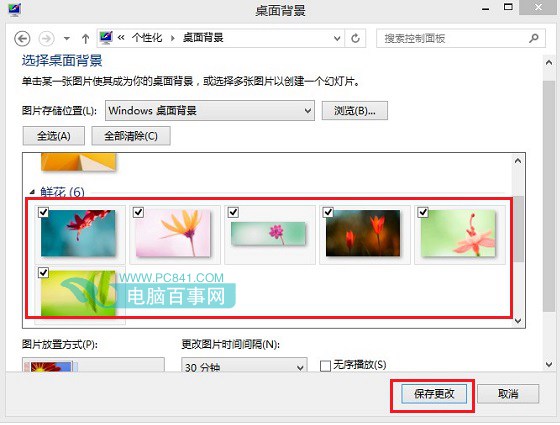
底部可設定輪播間隔(30 分鐘、1 小時、1 天等),若想恢復輪播重新勾選多張即可。
Win8 記憶體診斷工具使用教學:快速/標準/完整三種模式
Win8 关闭视觉特效提升性能:系统属性→高级→性能设置→调整为最佳性能/自定义
EFI 硬碟安裝 Windows 8:GPT 分區、FAT32 啟動分區、EFI Shell 啟動安裝程式
Win8.1 Update 提升 OneDrive 上傳速度:修改併發上傳執行緒數
50 個 Windows 8 應用小技巧:從鎖定畫面到系統修復完全掌握
如何查看 Windows 8.1 版本與位元數
Win8 升級 Win8.1 出現 0x80004003 錯誤?清理啟動項與服務即可
Win8 可安全設為手動啟動的系統服務清單