Surface RT 從 Windows RT 8.1 Preview 升級至正式版後,若發現電池續航明顯縮短,主因是無線網卡電源管理原則未正確遷移,導致待機/使用功耗飆升。透過 powercfg 指令恢復正確設定即可改善。
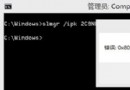
powercfg -setdcvalueindex SCHEME_CURRENT 19cbb8fa-5279-450e-9fac-8a3d5fedd0c1 12bbebe6-58d6-4636-95bb-3217ef867c1a 3
powercfg -setactive scheme_currentcmd → 右鍵命令提示字元 → 以系統管理員身分執行 → 是(UAC)。原理:第一行指令將「無線網卡適配器電源原則」的「直流電源(電池)模式」設定為 低功耗/最大省電(值 3),第二行啟用目前電源方案。升級過程中此設定常被重置為預設值(高效能),導致耗電。
適用機型:Surface RT、Surface 2 等 Windows RT 8.1 裝置;x86/x64 版 Win8.1 通常不會遇到此問題。
Win7/Win8.1 升級 Win10 後 WiFi 頻繁斷線?關閉網卡電源管理解決
Win8 產品金鑰能否啟用 Win8.1?不能直接安裝,但可先用通用金鑰安裝再用 Win8 金鑰啟用
5 月 Windows Store 免費應用熱門 Top 10:Xbox SmartGlass 霸榜、Photoshop Express 強勢躍居次席
Windows 8 有線網路報錯 651:Realtek 網卡與路由器埠號對插解決連線問題
Win8 滑鼠指向資料夾顯示提示資訊:資料夾選項啟用描述資訊
Win8.1 工作列圖示間出現大空隙?解除釘選重啟法修復排列異常