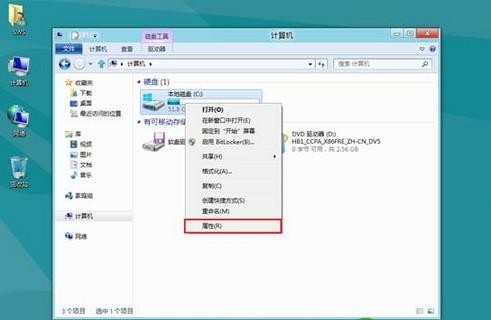
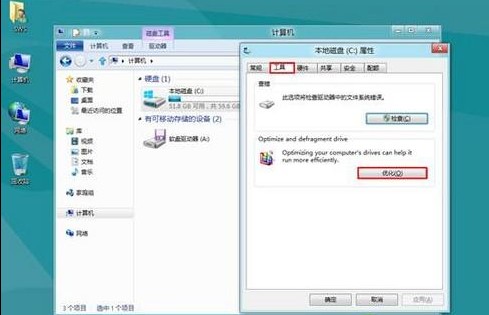
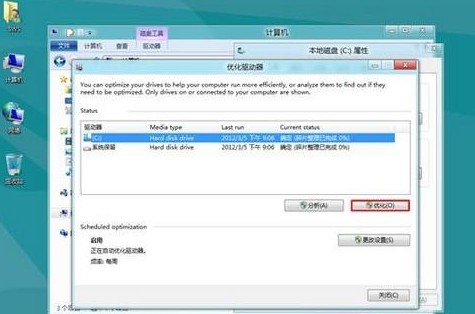
Windows 8 將碎片整理更名為「最佳化」,支援 HDD 碎片整理與 SSD TRIM 指令。
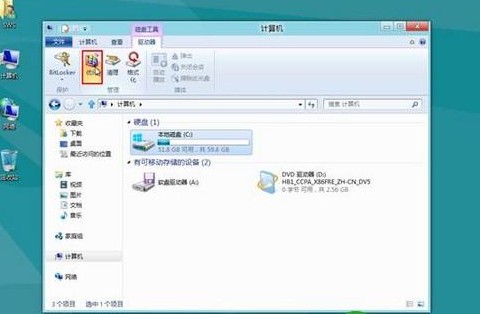
選取磁碟機 → 上方「管理」索引標籤 →「最佳化」。
Win8進入安全模式的兩種方法:設定介面/系統配置雙通道圖文詳解
惠普 Windows 8 笔记本禁用指纹/蓝牙开机认证的设置方法
Win8.1 把 Metro 應用圖示釘到桌面:一鍵直達不再鑽開始畫面
如何將 Windows 8.1 降級回 Win8?解除安裝 KB2871389 與 KB2917499 更新
Win8.1 電腦無故自動睡眠?進階電源設定關閉休眠計時器
Windows 8.1 開始選單替代工具 Start Menu X 體驗:免費版功能與設定詳解
Windows 8 任務管理器五大啟動技巧全攻略
Win8 關閉顯卡硬體加速:延長顯卡壽命、避免過度磨損