Windows XP Windows 7 Windows 2003 Windows Vista Windows 綜合教學 Linux 系統教學
Windows 10 Windows 8 Windows 2008 Windows NT Windows Server 電腦軟體教學

Win8.1 將檔案移動到 OneDrive 兩種方法:檔案總管拖曳與 OneDrive 應用程式

編輯:Win8 系統應用技巧

方法一:檔案總管拖曳移動

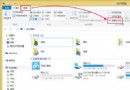
  1. 開啟檔案總管,左側導覽窗格會顯示 OneDrive。
  2. 將右側檔案清單中的檔案直接拖曳到左側的 OneDrive 資料夾。
  3. 檔案總管拖曳到 OneDrive
  4. 檔案會從原位置移動(而非複製)到 OneDrive,同步上傳雲端。

方法二:OneDrive 應用程式操作

  1. 開啟 OneDrive 應用程式 → 點選 OneDrive 旁箭頭 → 選擇「這台電腦」。
  2. 瀏覽到要移動的檔案 → 向下輕掃或右鍵選取檔案。
  3. 點選應用程式列「剪下」。
  4. 點選「這台電腦」旁箭頭 → 選擇 OneDrive → 瀏覽到目標資料夾。
  5. 從螢幕上/下邊緣輕掃或右鍵 → 點選「貼上」。

注意事項

  • 兩種方法皆為移動操作,原位置檔案會消失,請確認已備份重要資料。
  • 移動大量檔案建議使用檔案總管,效率較高。
Copyright © Windows教程網 All Rights Reserved