藍牙 4.0 (Bluetooth Smart) 為低功耗藍牙標準,支援微軟 Arc Touch 藍牙滑鼠等週邊。確認方式:
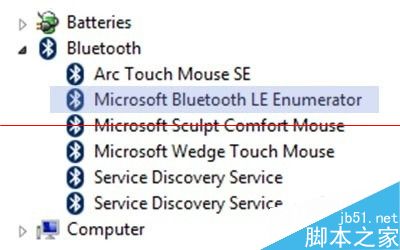
支援藍牙 4.0 後,將藍牙耳機 (如 QCY) 長按多功能鍵進入配對模式 (紅藍閃爍) → 電腦藍牙設定搜尋並連線即可使用。
Win8 Skype 登入磁碟 I/O 錯誤?兩大修復方案:重建使用者資料夾 / 授權 Temp 資料夾權限
Win8 一鍵關機捷徑建立教學:桌面右鍵新增捷徑 3 秒完成
Win8.1 電腦設定隱藏亮點:鎖定畫面幻燈片、搜尋設定自訂、預設應用程式檢視、開始畫面顯示桌面背景
Win8 IE 下載被 SmartScreen 攔截「不安全檔案」?三步驟強制保留並回報誤判
Win8.1 關閉睡眠/待機模式:電源選項設定「不進入睡眠」下載掛機不斷線
Win8 如何自訂列印紙張尺寸?控制台→裝置和印表機→印表機伺服器屬性→表單→建立新表單