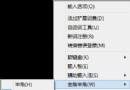
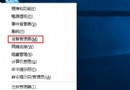
本文與 ID 80249 完全相同:Win8.1 桌面右鍵 →「檢視」→ 取消「自動排列圖示」與「將圖示與網格對齊」兩個勾選,即可自由拖曳圖示不吸附對齊。
詳細圖文請參考 ID 80249。更多桌面客製化技巧,請關注電腦教程專欄,歡迎加入電腦辦公群(189034526)。
Win8 Metro 應用視窗化執行教學:Stardock ModernMix 讓全螢幕應用變窗口
Win8 快速複製登錄編輯器機碼完整路徑:編輯選單「複製機碼名稱」
Win8 vs Win10 八大差異:開始選單回歸、通用應用程式、多桌面、工作檢視、命令提示字元強化
Windows 8.1 Update 容易被忽略的細節與新功能總覽
Windows 8 消費者預覽版如何使用磁碟碎片整理?控制台 → 管理工具 → 碎片整理和最佳化磁碟機
Windows 8.1 取得資料夾完整控制權限 (最高權限) 教學
Win8 行動中心「簡報設定」:一鍵關閉通知、鎖定喚醒、靜音,專為投影簡報設計
Win8.1 IE 瀏覽器無法使用五筆輸入法?關閉保護模式即可解決