方法一:停用三項診斷服務
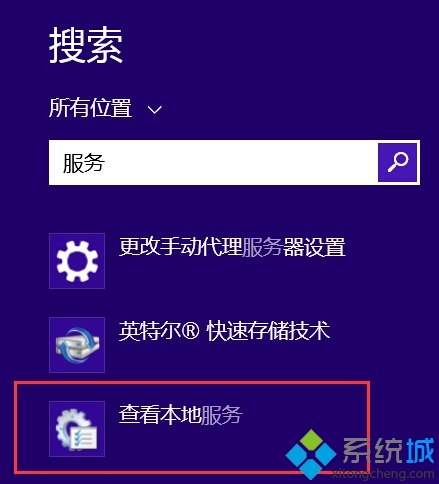
- 開始畫面搜尋「服務」→ 開啟「檢視本機服務」。
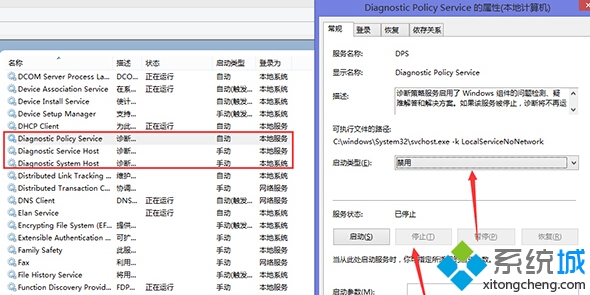
- 找到並停用:
「Diagnostic Policy Service」
「Diagnostic Service Host」
「Diagnostic System Host」
啟動類型改「停用」,服務狀態「停止」,套用確定。
方法二:增加使用者模式虛擬位址空間
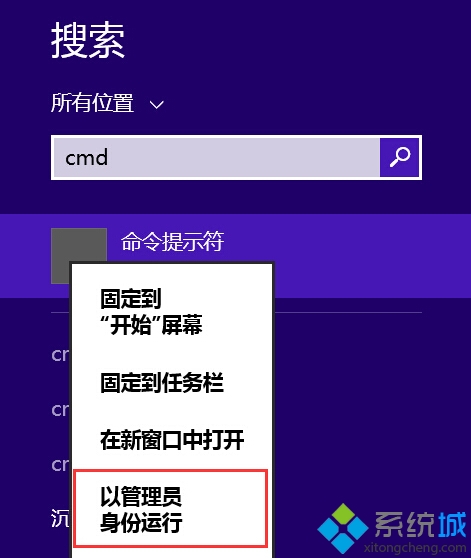
- 以系統管理員開啟命令提示字元。
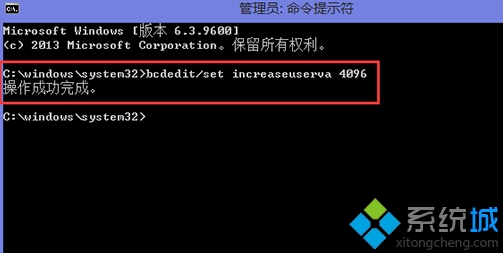
- 執行:
bcdedit /set increaseuserva 4096(預設 3072,可設 4096 或 8192)。
- 重新開機生效。
若兩法皆無效,建議重裝系統或檢查實體記憶體硬體狀態。