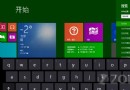
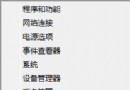
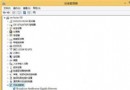
Windows 8 Consumer Preview 關機按鈕隱藏於 Charms 列,本文整理五種關機方法,涵蓋鍵盤熱鍵、傳統桌面、命令列、建立捷徑,滿足不同操作習慣。
shutdown.exe -s -t 00
Windows 8 正式版、Windows 8.1、Windows 10 均相容上述方法。
Windows 8.1 Update 1 新功能搶先體驗:Modern 與桌面整合大幅強化
Windows 8 裝置管理員停用裝置:右鍵選單一鍵禁用/啟用
Windows 8 鎖定畫面圖片更換技巧
Windows 8 相機應用無法使用攝影機?開啟權限即可解決
Windows To Go 正確設定與使用指南:企業應對 BYOD 的利器
Win8 磁碟損壞怎麼修復?三種方法:chkdsk 指令、重新分區、系統內建磁碟檢查工具
Win8.1 中文字體模糊不清?啟用 ClearType 讓字體銳利銳利
Win8 安裝失敗提示「MBR 分割表」錯誤?解決方法:轉換為 GPT 格式