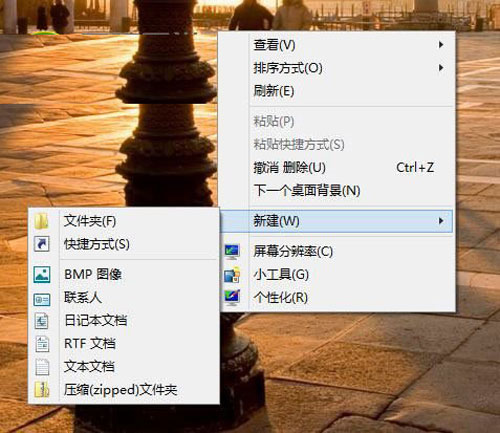
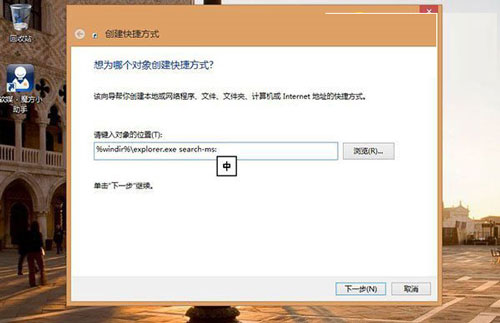
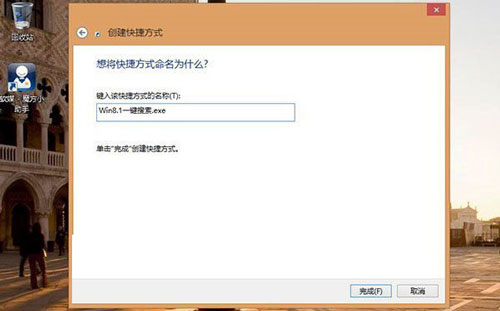
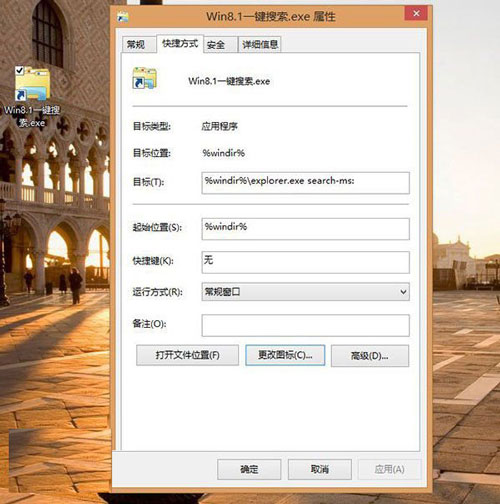
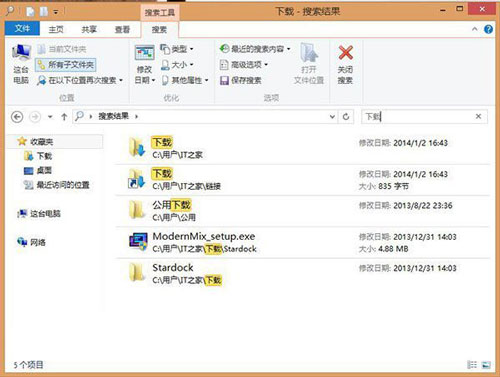
Win8.1 搜尋功能強大,可即時檢索本機程式庫。建立桌面捷徑指向 search-ms: 協定,雙擊即啟動全域搜尋介面,省去 Win+Q 或 Charms 列操作。
search-ms:
%windir%\explorer.exe search-ms:
同樣適用於 Win8/10/11。search-ms: 為 Windows 內建搜尋協定,可進一步加入查詢參數(如 search-ms:query=關鍵字)直接搜尋特定內容。
search-ms:query=關鍵字
Windows 8 鎖定畫面壁紙自訂全攻略:本地圖片、Bing 每日美圖、系統預設圖提取
Windows 8 支援臉部辨識登入 類似 Kinect 體感技術
Win8 開機出現白色 Loading 字樣與進度條?雙顯示卡停用其中一張即可隱藏
如何獲取微軟官方 ISO 並製作 Win8.1 安裝媒體:升級助手下載法
Windows 8 顯示隱藏檔案/資料夾:檔案總管「檢視」索引標籤一鍵切換
Windows 8 啟用 Tablet PC 輸入面板(手寫輸入)圖文教學
Windows 伺服器高效管理三大法寶:拒絕重開機安裝補丁、解除終端機單一會話限制、遠端查看事件日誌
Win8 IE 設定自動完成表單/網址/密碼:Internet 選項 → 內容 → 自動完成設定