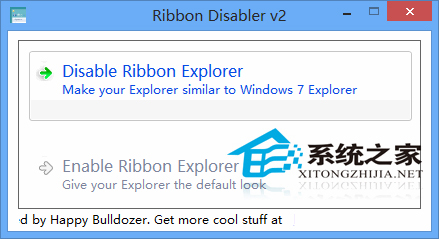
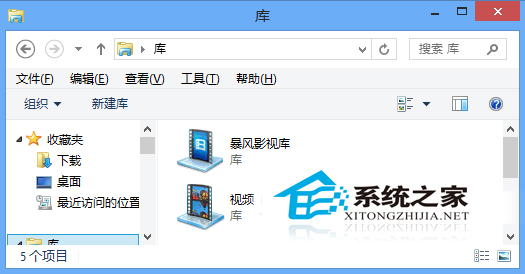
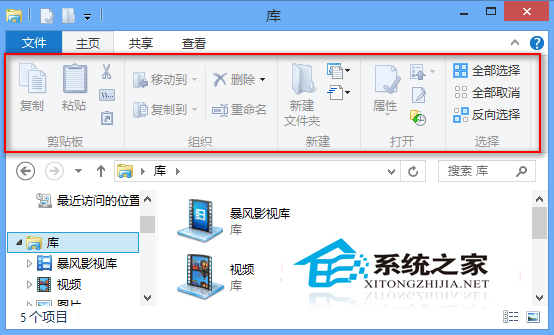
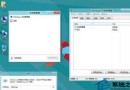
Win8 檔案總管引入 Office 風格 Ribbon 功能區,偏好經典選單者可用 Ribbon Disabler 關閉:
Ribbon 設計自 Office 2007 起廣泛採用,Win8/8.1/10 檔案總管皆採用此介面;工具提供選擇權,依習慣切換。
Win8 更改系統預設字體:登錄檔修改微軟正黑體為新細明體等
Win 8.1 更新/刪除帳號後 IE11 無法啟動?註冊表權限修復法
Win8.1 啟動失敗 0xC004F210 / 0xC004E002?CMD 指令重置授權狀態
關閉 Win8/Win8.1 程式相容性助理:群組原則與服務雙重禁用法
Win8.1 安裝 QQ 提示「安裝路徑無效」?更改路徑或以管理員身分執行
Win8 開始畫面套用桌面背景圖片:統一視覺風格兩步驟
Win8 爆音、音訊破音?修改登錄停用 MMCSS 服務解決多媒體優先級衝突
Windows 8 鍵盤捷徑大全:Win 鍵、滑鼠操作與特殊組合鍵完整表