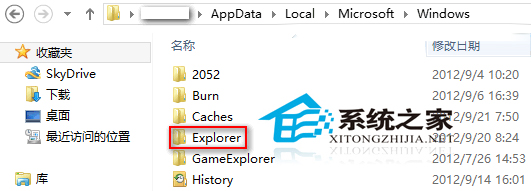
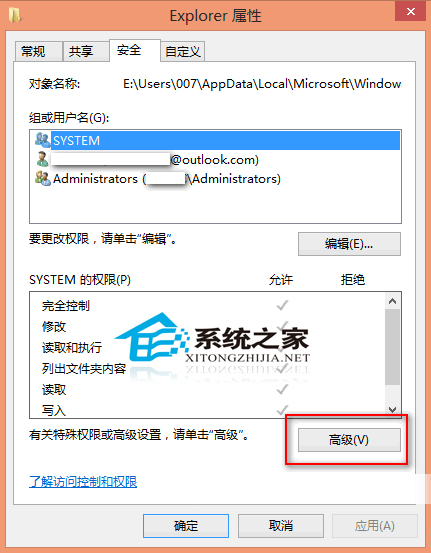
Win8 Explorer 資料夾縮圖快取達上限會自動清理,導致縮圖無法正常顯示。透過權限設定禁止自動刪除:
Explorer
%userprofile%
\AppData\Local\Microsoft\Windows
此法能保留縮圖快取,避免頻繁重繪縮圖拖慢資料夾開啟速度。
Win 8 設定 USB 隨身碟「快速移除」免安全移除硬體直接拔除
Win8.1連不上CMCC/ChinaNet等公共WiFi?禁用Hyper-V虛擬網橋秒解決
Win8 照片上傳 QQ 空間失敗解決:IE 安全性設定啟用「上傳包含本機目錄路徑」
Win8 桌面圖示變白/損壞?三種修復方法完整教學
Windows 8 Modern 介面直接解除安裝應用程式:右鍵磚選「解除安裝」
Win8 內建旅遊應用使用教學:360 全景圖、航班飯店一站查詢
Win8.1 系統位元數查詢:這台電腦右鍵 → 內容 → 系統類型即可看見
Win8 提示「登錄編輯器已被系統管理員停用」解決方案(重複內容)