Windows XP Windows 7 Windows 2003 Windows Vista Windows 綜合教學 Linux 系統教學
Windows 10 Windows 8 Windows 2008 Windows NT Windows Server 電腦軟體教學

Win8.1 升級 Win10 錯誤 C1900101-30018?重置四大更新服務與快取資料夾

編輯:Win8 系統應用技巧

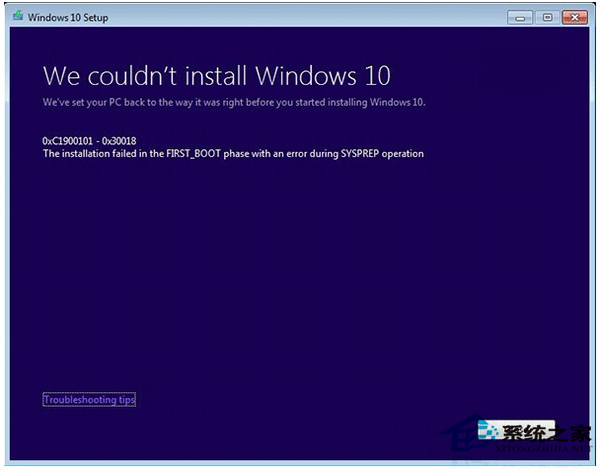
Win8.1 升級 Win10 遭遇 C1900101-30018 (0xC1900101 - 0x30018),表示在 FIRST_BOOT 階段發生不可復原錯誤,常因更新服務 (BITS、CryptSvc、MSI Installer、Windows Update) 狀態異常或快取損毀。

修復指令碼 (管理員 CMD 依序執行)

net stop wuauserv
net stop cryptSvc
net stop bits
net stop msiserver

ren C:\Windows\SoftwareDistribution SoftwareDistribution.old
ren C:\Windows\System32\catroot2 Catroot2.old

net start wuauserv
net start cryptSvc
net start bits
net start msiserver

exit

  1. 執行完畢後重新開機。
  2. 再次嘗試 Windows Update 升級 Win10。

原理

  • 停用四大服務:釋放檔案鎖定,允許重命名快取資料夾。
  • 重命名 `SoftwareDistribution` (更新快取) 與 `catroot2` (憑證/簽名快取):強制重建乾淨索引與信任存儲。
  • 重新啟動服務:恢復正常更新管道。
  • 此為微軟官方針對 C1900101 系列錯誤的標準緩解步驟,成功率極高。
Copyright © Windows教程網 All Rights Reserved