Windows XP Windows 7 Windows 2003 Windows Vista Windows 綜合教學 Linux 系統教學
Windows 10 Windows 8 Windows 2008 Windows NT Windows Server 電腦軟體教學

Win8.1 应用商店报错 0x80073CF9?禁用更新服务重命名 SoftwareDistribution 文件夹修复

編輯:Win8 系統應用技巧

Win8.1 应用商店下载应用提示错误 0x80073CF9,多因 Windows Update 缓存文件夹 SoftwareDistribution 损坏。重命名该文件夹强制重建可解决。
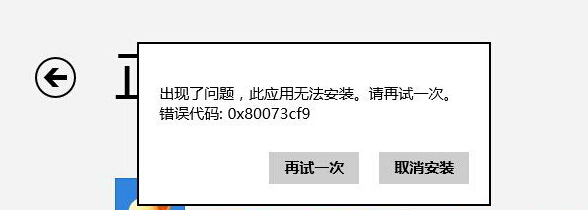
错误0x80073CF9

修复步骤

  1. 服务中禁用 Windows Update 服务(services.msc \ Windows Update \ 停用 \ 启动类型改“禁用”)。
  2. 重命名 C:\Windows\SoftwareDistribution 为 SoftwareDistribution.old。
  3. 重新启用 Windows Update 服务(启动类型“自动”,启动服务)。
  4. 重新打开应用商店下载测试。

系统会自动生成全新的 SoftwareDistribution 文件夹,错误代码 0x80073CF9 即可消失。

Copyright © Windows教程網 All Rights Reserved