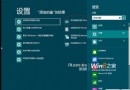
Windows 8 移除傳統開始選單,關機鍵隱藏在 Charms 邊欄與快捷鍵中。整理 5 種關機/重啟方法,適用 Modern 與桌面雙環境。
| 方法 | 操作 | 適用環境 |
|---|---|---|
| 1. Charms 邊欄 | Win+I → 電源 → 關機/重啟/睡眠 | Modern + 桌面 |
| 2. 傳統快捷鍵 | Alt+F4 → 關閉 Windows 視窗 | 桌面(Modern 下關閉應用) |
| 3. 安全性畫面 | Ctrl+Alt+Del → 右下角電源 | 桌面 |
| 4. 執行指令 | Win+R → shutdown.exe -s -t 00 | 桌面 |
| 5. 建立捷徑 | 桌面新增捷徑指向上述指令,可釘選到開始畫面 | 雙環境 |
慣用 Win+I 呼叫 Charms 設定最直觀;桌面環境 Alt+F4 最快;常用者建立捷徑釘選到開始畫面成磚塊。