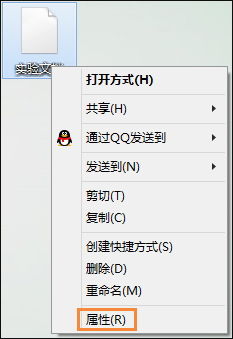
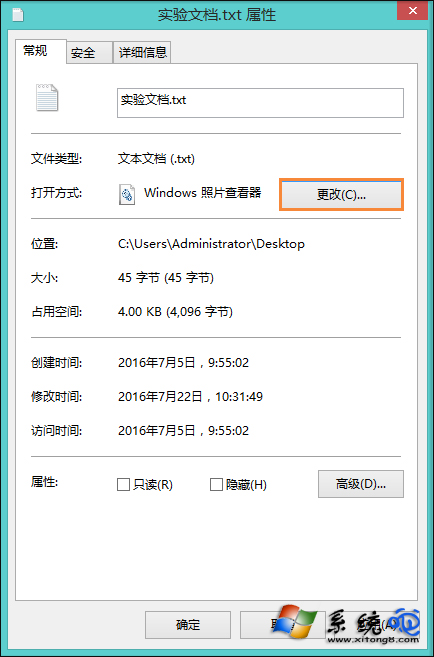
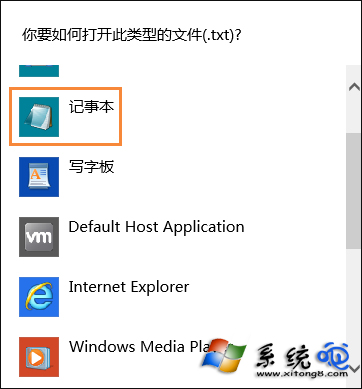
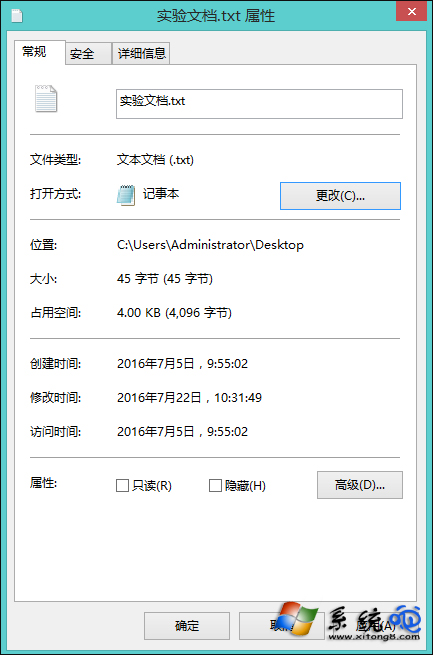
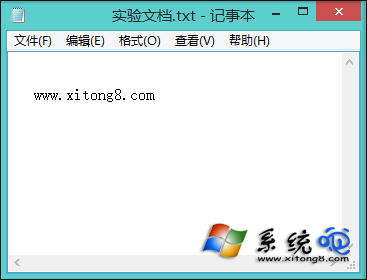
.txt 檔案雙擊彈出「開啟方式」對話框、或被錯誤關聯到 Word/瀏覽器,主因是檔案關聯登錄損毀。透過「內容」→「變更」重新指定「記事本」並勾選「永遠使用此應用程式開啟」,即可恢復正常。
若大量副檔名關聯錯誤,可下載 FileTypesMan (NirSoft) 批次檢視/修復關聯,或以管理員身分執行 assoc .txt=txtfile / ftype txtfile=%SystemRoot%\system32\NOTEPAD.EXE %1 指令修復。
assoc .txt=txtfile
ftype txtfile=%SystemRoot%\system32\NOTEPAD.EXE %1
Windows 8 確定 10 月正式釋出 RTM 8 月首周完成 支援 231 市場 109 語言
Windows 8 安裝與常用軟體設定實戰筆記
Windows 8 實現真正完全關機:關閉快速啟動功能,避免偽關機(混合睡眠)
Windows 8 海量圖賞:跨越 PC/平板、x86/ARM 統一介面體驗
Win 8 利用路由器限制網速 設定靜態 IP 與頻寬控制
Win8/8.1/10/11開機自動開啟數字鍵盤燈:登錄InitialKeyboardIndicators設為2
Windows 8 字體管理:隱藏、卸載與批次操作技巧
Win8.1 內建 Modern 應用全掛?DISM + SFC 雙重修復一鍵救活