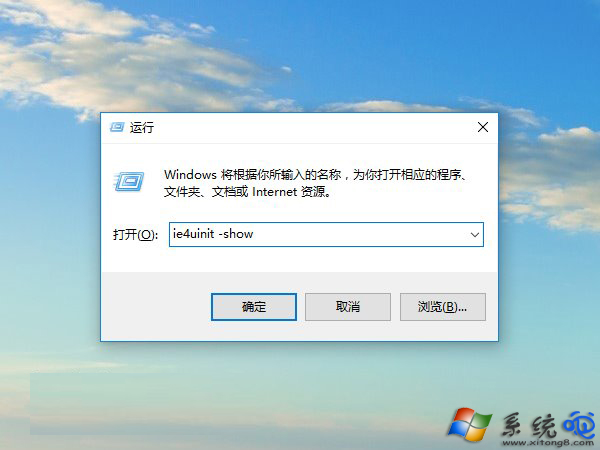
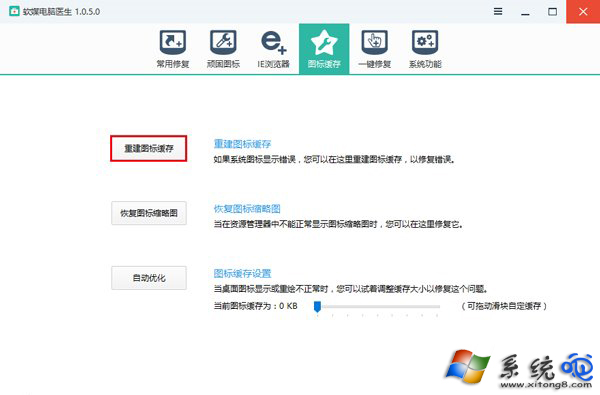
桌面圖示顯示錯誤(白紙圖、錯誤圖示、空白)?執行 ie4uinit -show 即可重建圖示快取,無需開啟 CMD、刪除資料庫檔案。
ie4uinit -show
ie4uinit
-show
%LocalAppData%\IconCache.db
chkdsk /f
Windows 8 桌面新增「電腦」圖示:個人化設定桌面圖示勾選電腦
Win8.1 安裝必應輸入法兩種方法:升級覆蓋與靜默安裝
VirtualBox 虛擬機安裝 Windows 8 完整圖文教學 (21 步驟)
Windows 8 主流社交應用登出/註銷帳號方式總覽:AppBar、狀態列、設定選單三大位置快速找到登出入口
Win8 找不到寬帶撥號?圖文教學快速建立 PPPoE 連線
Win8 網路診斷工具完整教學:自動修復與進階日誌分析
ESET 研究員肯定 Windows 8 反惡意軟體能力:早期啟動反惡意軟體 (ELAM)、安全啟動、Windows Defender 整合三大亮點
Windows 8 系統 15 大使用技巧全攻略:關機、多任務、搜尋、Charms、IE、虛擬化、MSE 等