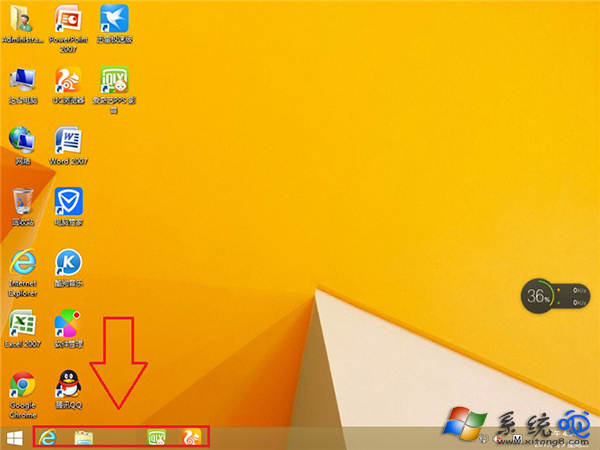
工作列固定應用程式圖示之間出現異常大空白,通常為探索器 (explorer.exe) 佈局快取錯誤。嘗試拖曳圖示填補空白、重啟探索器、或重新固定圖示可解決。
嘗試順序
- 直接拖曳其他圖示移入空白處,若能貼齊即為暫時排版錯誤。
- 右鍵工作列 → 「工作管理員」→ 找「Windows 探索器」→ 右鍵「重新啟動」。
- 取消固定有問題的圖示 → 重新從開始畫面右鍵「釘選到工作列」。
- 若以上無效,登出重新登入或重新開機重建探索器快取。
進階檢查
- 將滑鼠指向空白處觀察是否出現分隔線(代表有隱藏/空白工具列佔位)。
- 檢查
%AppData%\Microsoft\Internet Explorer\Quick Launch\User Pinned\TaskBar 下是否有殘留捷徑,刪除後重新固定。