Windows 8.1 Build 9385 洩漏版隱藏 Bing 每日圖片做鎖定畫面功能,需修改註冊表啟用。步驟:建立 .reg 檔寫入 HKEY_CURRENT_USER\Software\Microsoft\Windows\CurrentVersion\Lock Screen 與 FeedManager\Feeds\{FE6B11C3-C72E-4061-86C6-9D163121F229} 設定 SlideshowDebug=1 與 Bing 圖片 URI,匯入後於「電腦設定」→「鎖定畫面」開啟「幻燈片」並選 OneDrive 來源,稍待下載完成即生效。

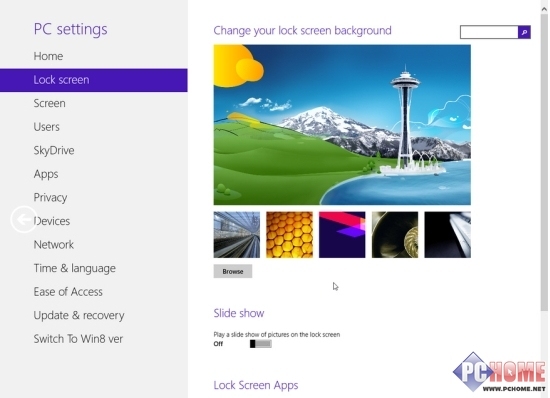
註冊表代碼來源: Thecollectionbook.info
微軟挖角迪士尼品牌總監 Jay Victor 掌舵 Windows 8 家庭娛樂策略
Windows 8 C 槽清理完美方案:關閉 UAC、關閉休眠、釋放記憶體大小空間
Windows 8 切換全形/半形完整指南:新注音、倉頡失效的替代方案
Windows 8 自带“阅读器”应用:无需第三方工具即可阅读 PDF/XPS,支持搜索、旋转、多视图、书签
Windows 8 Metro 應用分屏顯示技巧:註冊表啟用 Snap 功能
Win 8 安裝更新後切換視窗變慢 卸載 KB3033889 即可解決
微軟官方詳解 Windows 8 Beta 關鍵功能:檔案複製衝突處理、暫停續傳、資源管理器 Ribbon、PowerShell 整合