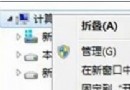
開始畫面右鍵該磚塊 → 選「取消釘選」即可移除。
常用桌面程式整合至開始畫面,避免頻繁切換桌面啟動,提升效率。
Win8/8.1/10/11免輸密碼自動登入桌面:netplwiz取消「使用者必須輸入使用者名稱和密碼」
Win8.1 緊急重新開機技巧:Ctrl+Alt+Del + 電源鍵 秒速重啟
Windows 8 功能曝光:Hyper-V 驚現「動態記憶體」技術
微軟預計 10 月上市 Windows 8,Intel 版機型 40 款、ARM 版僅 5 款
Windows 8.1 升級 Update 方法與注意事項總整理 (2014/04/08 釋出)
Windows 8 應用商店安裝程式卡在「掛起」無法下載解決方案:清除快取資料夾
Windows 8 Metro 應用分屏顯示功能啟用與操作技巧
Win8 通訊活動自動調整音量:通訊索引標籤四大模式