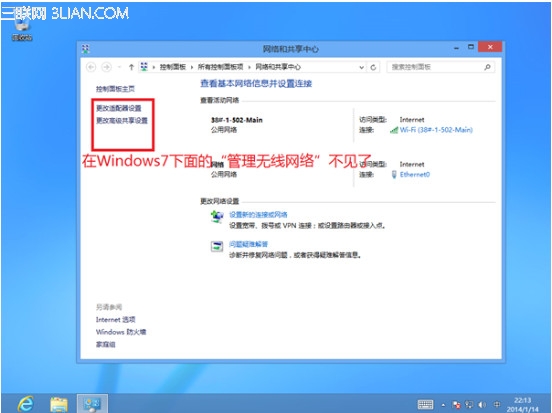
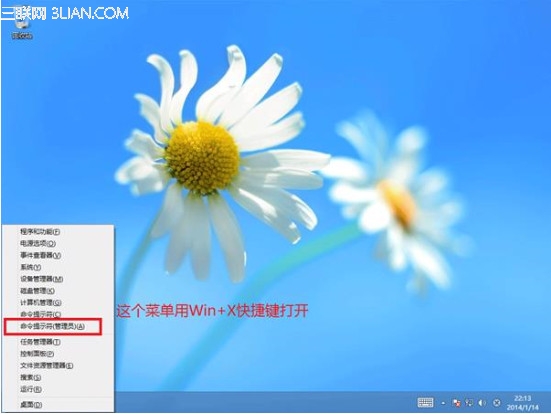
Windows 8/8.1 移除圖形介面的「管理無線網路」,改用命令列 netsh wlan 查看、匯出、刪除無線網路設定檔。
netsh wlan
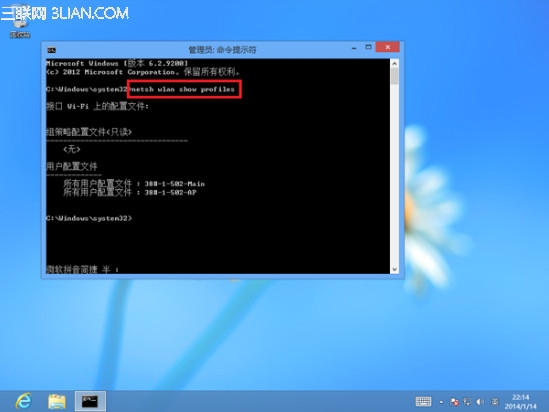
netsh wlan show profiles
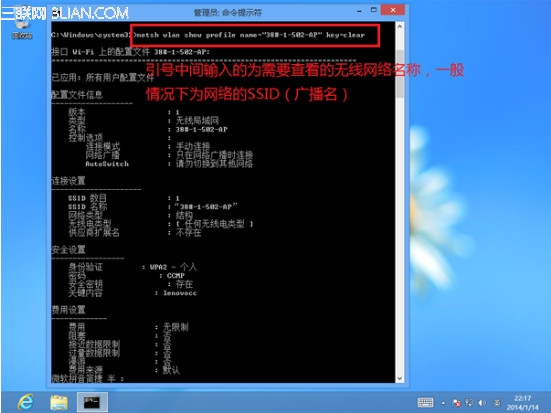
netsh wlan show profile name="設定檔名稱" key=clear
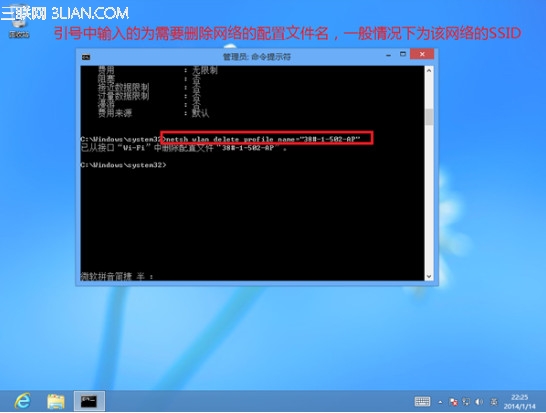
netsh wlan delete profile name="設定檔名稱"
此為 Windows 8/8.1 管理無線網路的標準方式。
Windows 8 強制開始畫面 IE10 磚以桌面版開啟:Internet 選項與群組原則/登錄設定
Windows 8.1 開啟工作管理器三種快速方法
Win8 開始畫面新增傳統桌面版 IE10 快捷磚教學
揭秘「3 分鐘安裝 Win8」:其實是預做好 VHD 虛擬硬碟快速部署
Win8.1 設定睡眠/待機喚醒需輸入密碼
Windows 8.1 啟用工具 KMSpico 與 HEU KMS Activator 使用教學與風險提醒
Win8 安全模式三大進入法:msconfig、Modern 介面重開機、新增開機選單項目
找回 Win8 開始畫面消失的「桌面」磚:重新釘選或複製捷徑兩大法