gpedit.msc
services.msc
Windows 8 開機過快無法按 F8?新啟動選單機制與自動修復入口
Win8 中文用戶名導致 QQ 卡死:根因分析與臨時規避方案
自由軟體基金會呼籲抵制 Windows 8 認證電腦:安全啟動或成「受限啟動」
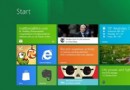
Windows 8 開始畫面磚塊自訂完整指南:動態磚塊、分組、固定應用
Windows 8 Flash Player 無法更新?手動修復註冊與替換檔案完整解法
微軟測試 Windows 8 下的 Ribbon UI:色彩與按鈕風格全新設計
Windows 8 卸載程式完全指南:三種方法輕鬆移除軟體
Windows 8 自訂介面文字大小 (DPI) 縮放比例,支援 220% 等自訂百分比