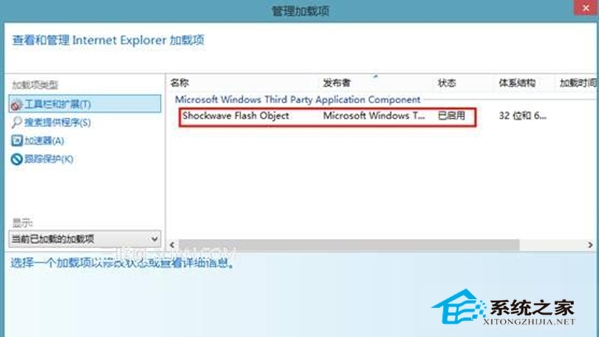
Win8 使用者回報 IE 無法播放網頁影片,提示未安裝 Flash 卻又說內建播放器。多為 Flash 外掛被停用或版本不符所致。
完成設定後重新整理網頁,影片通常即可正常播放。
解決 Win 8/8.1 驅動安裝「資料無效」錯誤:啟動 Device Install Service 與 Device Setup Manager
Windows 8 憑證管理器使用教學:密碼同步與跨裝置存取
鮑爾默:Windows 8 標誌作業系統浴火重生,預估明年用戶達 5 億
Windows 8 系統重置功能:快速重裝並保留激活狀態完整教學
Windows 8 新檔案系統 ReFS 首度曝光:從 Protogon 到 ReFS,支援格式化、VHD、磁碟管理,但無法安裝系統
Win8 修改檔案關聯與預設開啟程式,控制台完整圖解
Windows 8 Consumer Preview 變動超過 10 萬處:細節大公開
Win8.1 滑鼠左手模式設定教學:左撇子專屬,一鍵互換左右鍵