Internet Explorer 10 可設定彈出視窗與外部連結在新分頁開啟:
設定步驟
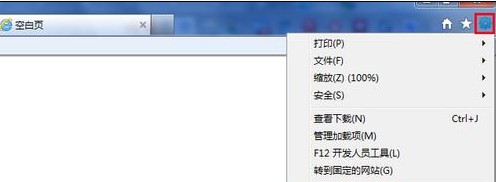
- IE 工具列/右上角工具圖示 → 「網際網路選項」。
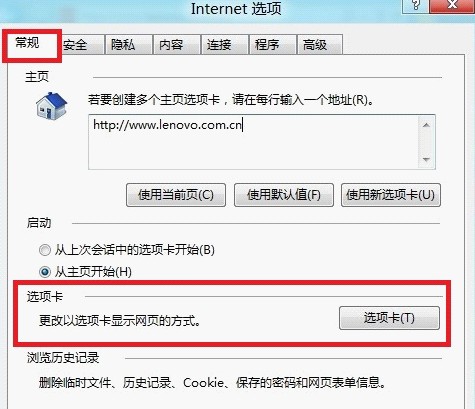
- 「一般」索引標籤 → 「分頁」區塊 → 「設定」。
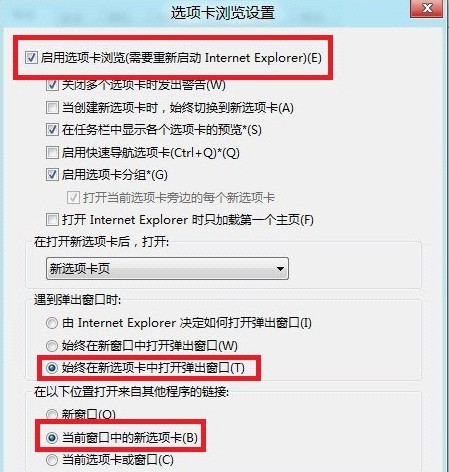
- 確認「啟用分頁瀏覽」已勾選。
- 「遇到彈出視窗時」→ 選擇「一律在新分頁中開啟彈出視窗」。
- 「在下列位置開啟來自其他程式的連結」→ 選擇「目前視窗中的新分頁」。
- 「確定」→ 重新開啟 IE 生效。
效果:網頁彈出視窗不再開新視窗干擾,Outlook/Word/聊天軟體點擊連結直接在現有 IE 視窗新分頁開啟,瀏覽體驗更連貫。