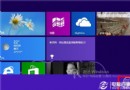
Windows 8.1 內建酷炫的「滑動關機」介面,類似手機滑動解鎖,向下拖曳即可關機。透過 slidetoshutdown.exe 呼叫,並可建立捷徑一鍵觸發,比傳統選單關機更直覺快速。
立即體驗滑動關機
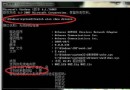
- Win + R 輸入
slidetoshutdown.exe 按 Enter
- 出現全螢幕鎖定畫面,按住滑鼠左鍵(或觸控)向下拖曳至底部
- 系統執行關機流程

建立桌面捷徑一鍵呼叫
- 桌面右鍵 → 「新增」 → 「捷徑」
- 項目位置輸入:
%windir%\System32\SlideToShutDown.exe
- 命名為「滑動關機」完成
- (可選)右鍵捷徑 → 「內容」 → 「變更圖示」選擇關機圖示
進階:指派熱鍵
- 捷徑右鍵 → 「內容」 → 「捷徑」頁籤
- 「快速鍵」欄位按下想指派的組合鍵(如 Ctrl + Alt + S)
- 確定套用
注意事項
- 僅支援 Windows 8.1 / 10 / 11,Windows 8 無此功能
- 滑動關機等同正常關機流程,會關閉所有應用並儲存系統狀態
- 若有未儲存文件,系統會提示儲存再關機