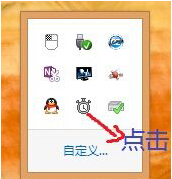
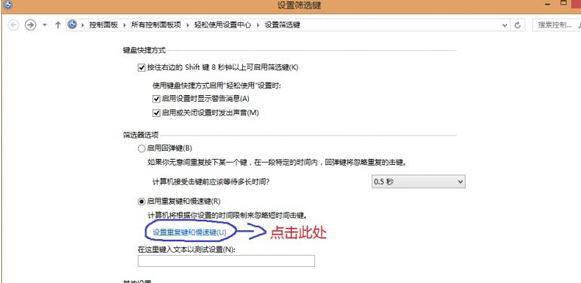
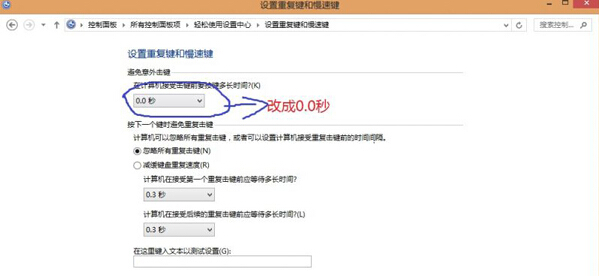
安裝更新後鍵盤輸入延遲、需長按才觸發、或完全無反應,常因更新重置了「輸入無障礙」中的 慢速鍵 與 重複鍵 設定。將接受延遲歸零即可恢復正常。
設定後鍵盤即刻恢復正常靈敏度,無需重開機。
Win8.1 讓 C 槽騰出更大空間:五大清理與遷移實戰技巧
Windows 8 安裝至獨立分割區:避免污染原系統完整教學
Win8 軟體相容性問題?內建疑難排解自動修復
Win8 安全模式完整指南:五大核心修復功能一次掌握
Windows 8.1 寬帶撥號錯誤 651 解決方案:臨時腳本與官方修補程式
Win8.1 Update WIMBoot 技術深度解析:原理、分區架構、限制與應用場景
Windows 8 開關機極速之謎:混合式關機(Hybrid Boot)與系統工作階段休眠技術深度解析
Windows 使用者期待 Windows 8 改進五大功能:自訂安裝、壓縮格式支援、整合安全、工作管理員、軟體中心