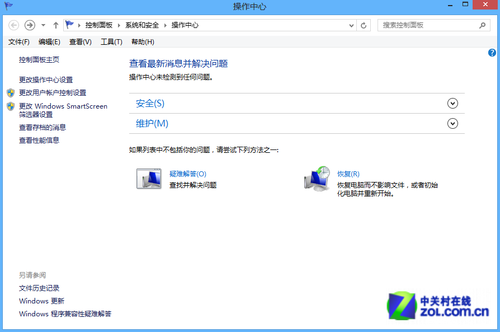
企業模式可讓 IE11 以舊版 IE 相容性檢視網頁,解決舊版企業內部系統在新瀏覽器上顯示異常的問題。以下透過群組原則啟用此功能。
操作步驟
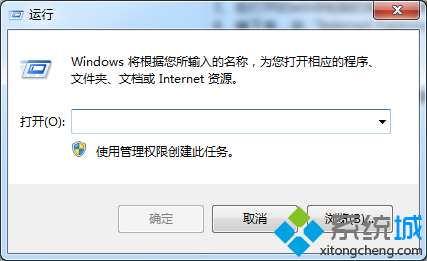
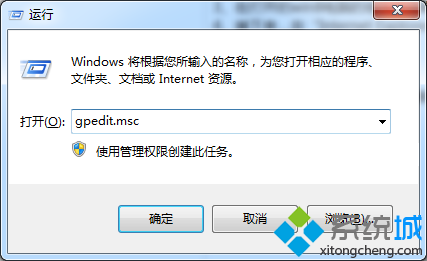
- 回到傳統桌面,按 Win + R 開啟「執行」視窗。
- 輸入
gpedit.msc 並按 Enter,開啟「本機群組原則編輯器」。
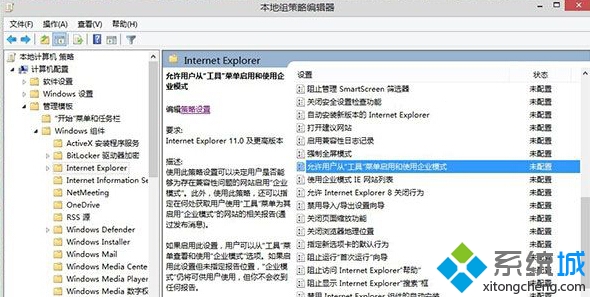
- 依序展開左側樹狀結構:電腦設定 → 系統管理範本 → Windows 元件 → Internet Explorer。
- 在右側窗格找到 「允許使用者從工具功能表啟用和使用企業模式」,雙擊開啟。
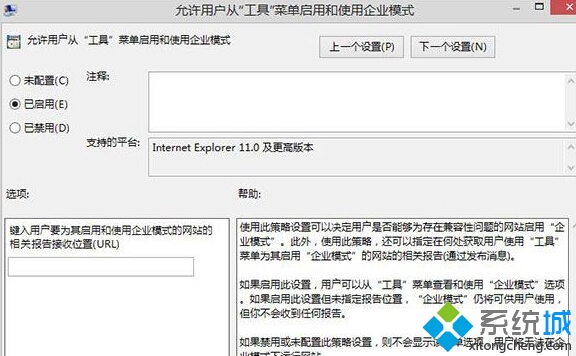
- 將設定改為 「已啟用」,點擊「確定」儲存。
設定完成後,重新開啟 IE11,即可在「工具」功能表中找到企業模式選項。