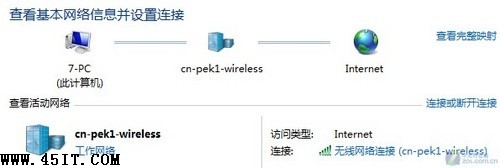
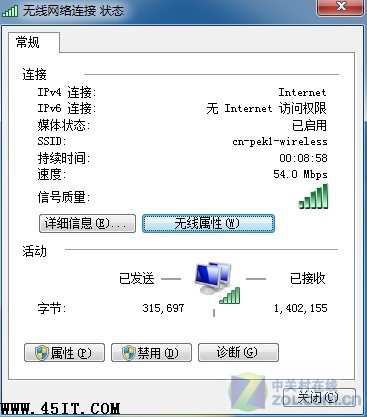
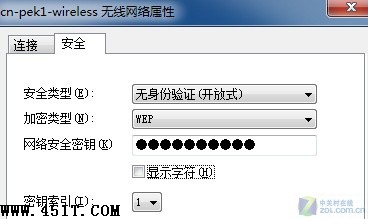
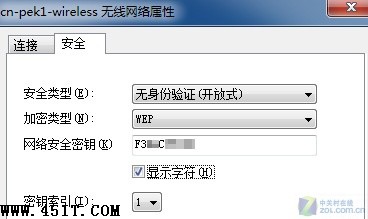
XP 無法直接顯示已儲存無線密碼,Win7 內建功能可輕鬆查看:
用途:重灌系統前備份密碼、同事詢問密碼時快速提供。Win7 細節人性化設計典範。
Win7 資料夾設定密碼教學:推薦隱身俠、超級檔案加密等第三方工具
正版 Windows 7 變盜版?微軟提供兩種修復方案還原授權狀態
Win7 桌面圖示盾牌圖示 (UAC) 移除教學:關閉使用者帳戶控制通知
Windows 7 工作效率新功能:Windows 觸控,指尖上的作業系統
Win7 升級後光碟機消失?修改登錄表刪除 UpperFilters/LowerFilters 解決
修改登錄檔加速 Windows 7 關機:將服務等待時間從 12 秒降至 5 秒
Windows 7 vs Vista 任務列像素尺寸實測:大圖示模式多佔 12.5% 空間
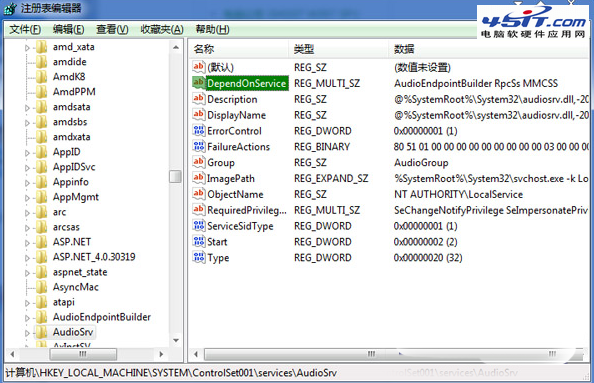
Windows 7 降低網路延遲:QoS 原則設定與 MMCSS 服務停用實測