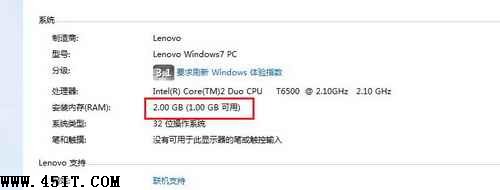
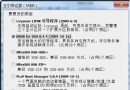
現象: 筆電裝 2GB 記憶體,系統屬性顯示「安裝 2.00 GB,可用 1.00 GB」。
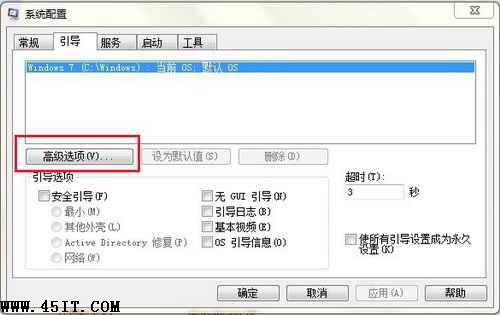
msconfig
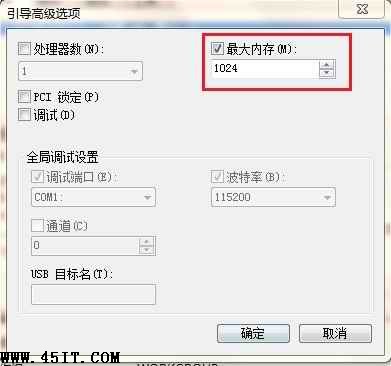
此選項常被優化軟體或手動誤勾選,限制系統可用記憶體上限。取消後即可識別全部實體記憶體。
十年舊機 P3-1.4G/512MB 實測安裝 Windows 7 流暢度報告
警惕!安裝 Windows 7 切勿隨意刪除分區,200MB 隱藏分區關鍵性解析
Windows 7 磁碟機圖示遺失:症狀與解決方案(圖文教學)
雙系統移除 Win7 後開機選單殘留?XP/Vista 修復引導教學
Windows 7 20 大特色讓你忘記 Vista:任務列、Aero Peek/Shake、HomeGroup、觸控、MinWin 等
輸入法消失怎麼辦?Windows 找回輸入法完整指南
Windows 7 任務列縮圖預覽消失?四步排查恢復 Aero Peek 功能
Windows 7 放大鏡使用教學與完整快速鍵表