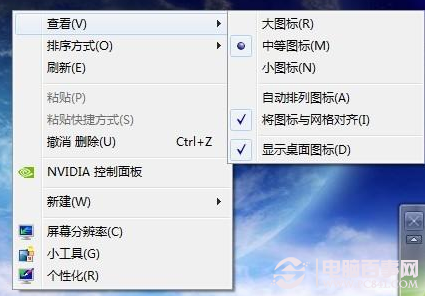
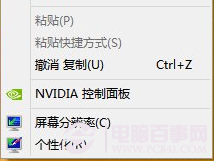
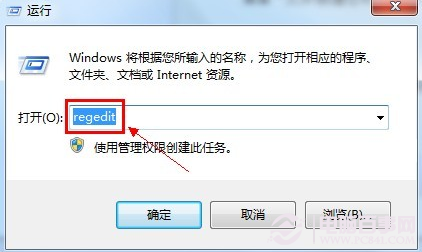
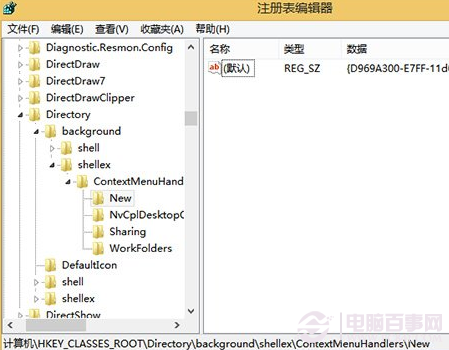
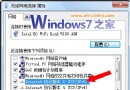
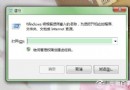
滑鼠右鍵桌面或資料夾空白處,「新增」子選單突然消失,無法快速建立檔案。原因通常是登錄表鍵值遺失或損毀,修復方法:
regedit
HKEY_CLASSES_ROOT\Directory\Background\shellex\ContextMenuHandlers\New
{D969A300-E7FF-11d0-A93B-00A0C90F2719}
此鍵值為系統內建「新增」選單的 CLSID,修正後即時生效,無需重開機。
Win7 播放影片出現綠畫面怎麼辦?關閉硬體加速解決 Flash/播放器綠畫面
Windows Administrator 帳戶顯示/隱藏/自動登入設定
解放滑鼠右鍵:移除 NVIDIA、Intel、AMD 顯示卡右鍵選單的簡單方法
利用 PXE 網路開機批次安裝 Windows 7:免光碟、多台同步部署
Mac 上安裝 Windows 7 實戰心得:Boot Camp 完整遷移指南
Win7 任務欄顯示星期幾的設定教學
解決 Windows 7 光碟機自動彈出/無法讀取:停用 Shell Hardware Detection 服務
Win7 滑鼠不為人知的使用技巧:拖曳對齊與晃動最小化