想打 ℃ 卻找不到鍵?四種方法任你選:
輸入 v1 → 按翻頁鍵 = 7 次 → 選第 7 項即為 ℃。
v1
=
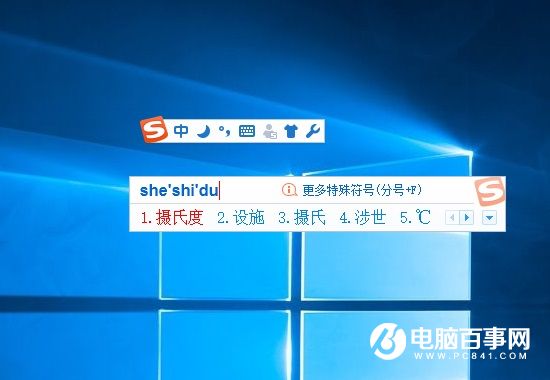
打「攝氏度」→ 選第 5 候選字即為 ℃。
百度搜尋「攝氏度 符號」→ 直接複製 ℃ 貼上。
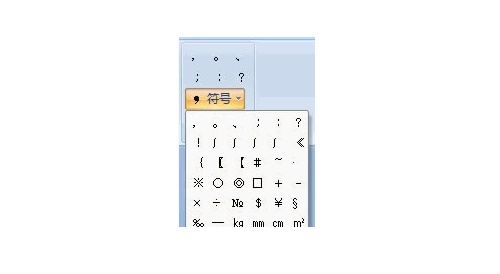
「插入」→「符號」→「其他符號」→ 「單位符號」子集 → 找到 ℃ → 插入。
平常最常用方法二(輸入法聯想),斷網時用方法四,臨時用方法三,全情境覆蓋。
Windows 7 NTFS 進階功能實戰:硬連結、資料流、USN 日誌與壓縮資料夾
不裝第三方軟體!Win 7 內建功能打造專屬「護眼模式」:綠豆沙色 + 定時休息提醒
Windows 7 安裝 Foxit PDF IFilter 外掛:秒速全文搜尋海量 PDF 檔案
機箱前置耳機孔沒聲音?Realtek 高清音訊管理器一鍵修復
Win7 註冊表損壞無法開機?用安裝媒體 CMD 還原 RegBack 備份一鍵修復
Win7 雙螢幕擴展模式:筆電玩遊戲、外接螢幕看電影,假期宅家雙重享受
Win 7 全新工作列深度解析(一):外觀、釘選、統一、縮圖
Excel IF 函數完整語法與參數詳解:邏輯判斷、真假值回傳、巢狀應用基礎