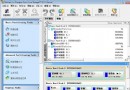
雙硬碟配置下,Win7 預設 20 分鐘無讀寫即停轉從盤,有存取再啟動。頻繁停轉/啟動雖不嚴重損壽命,但聲音干擾且可能影響存取回應速度。
Vista 同樣適用此設定。若需平衡省電與靜音,可設為 60-120 分鐘;純固態硬碟 (SSD) 系統建議直接設為「從不」,SSD 無機械結構不需停轉保護。
Win7 調整顯示比例放大文字:解決長時間用眼疲勞
關閉 Win7 資源管理器搜尋記錄:群組原則「關閉最近搜尋項目顯示」一鍵搞定
Win7 魔獸世界無法全螢幕:修改登錄表解析度值
IE11 降級回 IE10 完整圖文教程(適用 Win7/Win8/Win8.1)
Windows 7 裝置驅動程式管理深度解析:驅動存儲、簽章驗證、疑難排解與 Device Stage
Win7 找不到攝影機圖示?五種方法快速開啟內建/外接 Webcam
Win7 連接 iPad 2 後 iTunes 偵測不到裝置?完整排除教學
Windows 7 資源管理器右鍵選單整合「複製到/移動到資料夾」:登錄表一鍵部署