超越主題的圖示級美化工具
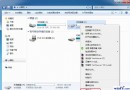
Windows 7 內建主題僅替換少數系統圖示,IconPackage 可一次替換數百個通用檔案類型圖示(doc、wma、tif、wav 等),徹底改變視覺風格。
操作流程
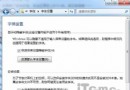
- 執行程式,預覽三組內建圖示包(可點「Preview」細部檢視)
- 點選「Colors」可即時微調 Hue(色相)、Saturation(飽和度)、Luminance(亮度),所見即所得
- 勾選「Remove all color from the IconPackage」可一鍵產生黑白懷舊風格
- 雙擊確認套用 → 系統提示重新啟動桌面與工作列 → 圖示煥然一新
特色優勢
- 支援數百種檔案關聯圖示,非僅限系統圖示
- 參數微調即時預覽,降低試錯成本
- 內建黑白模式,滿足極簡/懷舊風格需求
- 搭配精美主題,打造獨一無二的 Win7 桌面
IconPackage 為英文介面,但操作直觀,適合喜愛桌面客製化的進階使用者。