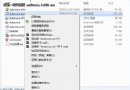
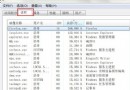
現象:XP 下迅雷/快車正常,Win 7/Vista 頻繁斷線。非下載工具相容性或搶頻寬問題,主因是 網卡電源管理預設「允許電腦關閉此裝置以節省電源」 導致網卡間歇性休眠斷線。
此法針對網卡省電導致斷線,非萬能解,其他斷線原因仍需個別排查。
Windows 7 六大版本完整功能對比表
Windows 7 預設字體一鍵還原:控制台 → 字體設定 → 「還原預設字體設定」
Windows 7 多顯示器設定實戰指南(二):四大關鍵注意事項
Windows 7 必知 15 個超實用快速鍵完整圖解
Windows 7 深度安全優化:關閉默認共享、鎖定遠程註冊表、禁用高危命令列、關閉自動播放/運行、清除歷史記錄
善用 Windows 7 程式庫功能:依作者、評等、日期快速定位文件與照片
eWeek 盤點 Windows 7 亟待解決 10 大問題:安全、線上整合、搜尋、升級...
Windows 7 讓特定程式永久以系統管理員身分執行