regedit
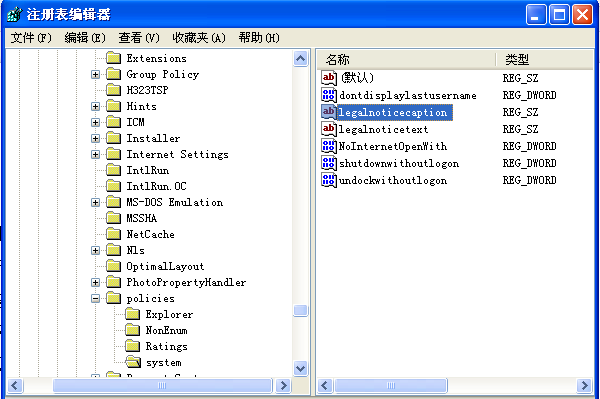
HKEY_LOCAL_MACHINE\Software\Microsoft\Windows\CurrentVersion\Winlogon
惡意軟體/流氓軟體/群組原則將這兩個鍵值設為廣告內容,導致每次登入/開機強制彈窗,刪除即可恢復乾淨桌面。
Win7 系統將掃描文件直接轉為 PDF 格式:使用 PDF-Tools 4.0 完整操作指南
Win7 資料夾刪除提示「目錄不是空的」?六大進階解鎖刪除法
電腦如何玩手機版《魔方格》?安卓模擬器安裝教學
Win7 使用 360 安全瀏覽器播放影片出現花屏?兩招輕鬆修復
Win7 Office 輸入法熱鍵無法切換?檔案→選項→進階勾選「輸入法控制處於作用中狀態」
Win7 VMware 虛擬機如何修改 MAC 位址?圖文詳細設定教學
Win7 啟動狀態無效或錯誤 0x80070422?啟用軟體保護服務修復授權
Win7 如何查看預設閘道?網路連線屬性與 ipconfig 指令兩法速查