Win7 系統中若雙擊 .exe 執行檔毫無反應,通常是檔案關聯錯誤或登錄損毀。透過匯入修正登錄值即可快速恢復。
Windows Registry Editor Version 5.00

[HKEY_CLASSES_ROOT\.exe]
@="exefile"
"Content Type"="application/x-msdownload"

[HKEY_CLASSES_ROOT\.exe\PersistentHandler]
@="{098f2470-bae0-11cd-b579-08002b30bfeb}"
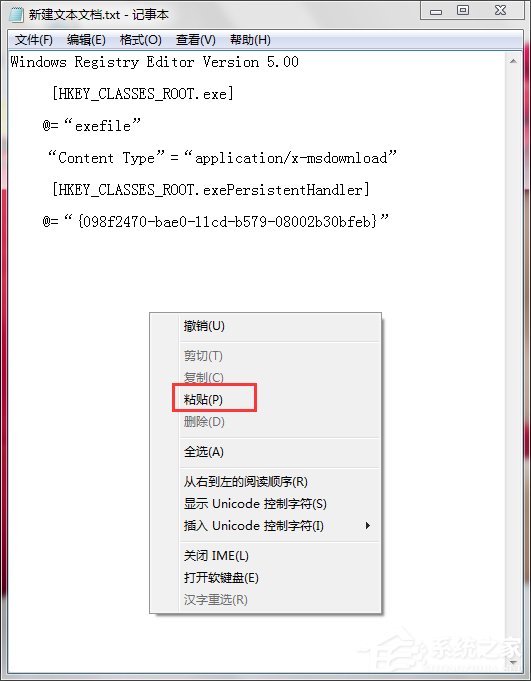
fix_exe.reg(副檔名必須為 .reg)。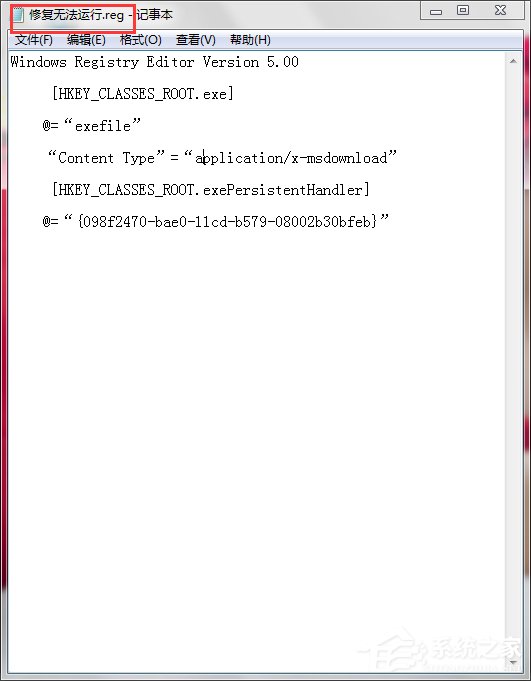

此修復恢復 .exe 的預設關聯值。若問題持續,請檢查是否中毒或嘗試安全模式下執行 sfc /scannow 修復系統檔案。
Win7 網頁影片沒聲音?瀏覽器靜音開關、IE 進階設定、360 修復三法合一
視窗全關不見了怎麼關機?Windows 幾個你可能不知道的關機技巧
Win7 清空回收站後如何恢復檔案?資料救援軟體掃描 C 碟恢復被刪檔案
Win7 百度雲盤下載慢?切換瀏覽器極速模式 + 加 https 前綴直連迅雷下載
Win7 拒絕存取無法啟用休眠?powercfg 指令關閉再開啟休眠功能修復
Win7 藍屏報錯 0x00000080 怎麼辦?熱插拔硬體引發 NMI 故障完整排查指南
Win7 無線服務啟動失敗錯誤 1747?註冊表改 NDIS ErrorControl + netsh winsock reset 秒修復