Windows XP Windows 7 Windows 2003 Windows Vista Windows 綜合教學 Linux 系統教學
Windows 10 Windows 8 Windows 2008 Windows NT Windows Server 電腦軟體教學

移除 Win7 登入畫面 Logo 資訊:ResHacker 修改 basebrd.dll.mui 替換透明圖片

編輯:Win7 系統應用技巧

Windows 7 登入畫面底部預設顯示版本 Logo (如「Windows 7 旗艦版」)。追求極簡介面者可替換為透明/純白圖片:

  1. 複製 C:\Windows\Branding\Basebrd\zh-CN\basebrd.dll.mui 到桌面備份。
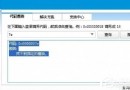
  2. 用 ResHacker (Resource Hacker) 開啟該檔 → 「Bitmap」分支 → 120 → 2052、1120 → 2052、2120 → 2052 三處右鍵「Replace Resource」→ 選入預備的 350×50 像素 BMP 透明圖片 (或純白圖片)。
  3. 檔案 → 儲存 (產生修改後的 basebrd.dll.mui)。
  4. 取得系統檔案權限:導入「管理員取得所有權.reg」 → 右鍵原檔 →「管理員取得所有權」。
  5. 將修改後檔案覆蓋回 C:\Windows\Branding\Basebrd\zh-CN\。
  6. 重開機,登入畫面 Logo 消失,呈現乾淨背景。

風險提示:修改系統檔案可能導致更新失敗或完整性驗證錯誤,建議建立還原點或備份原檔。純粹美觀調整,不影響系統功能。

Copyright © Windows教程網 All Rights Reserved