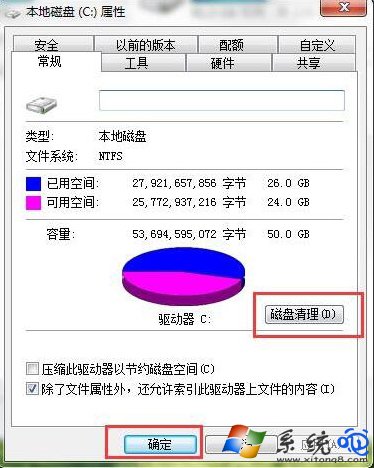
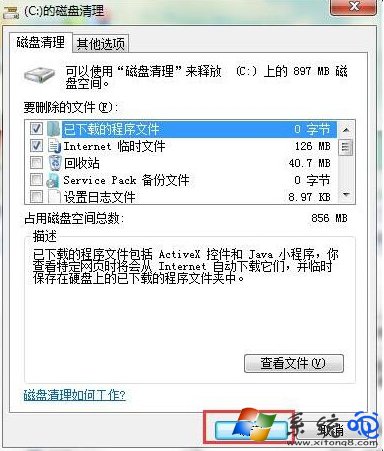
C 槽空間不足影響系統效能。右鍵 C 槽 >「內容」>「磁碟清理」,掃描後勾選要刪除的項目 (暫存檔、縮圖快取、Windows 更新清理、回收站等) 確定刪除,釋放空間。
操作步驟
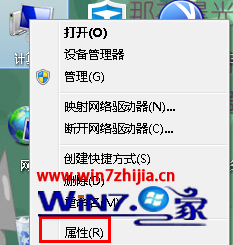
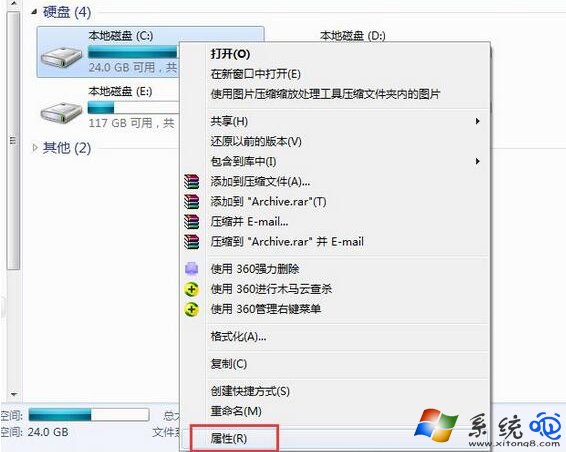
- 「電腦」> 右鍵 C: >「內容」。
- 點選 「磁碟清理」 按鈕。
- 等待掃描完成,勾選欲刪除項目 (建議全選) >「確定」>「刪除檔案」。
進階清理建議
- 點選「清理系統檔案」重新掃描,可顯示 「Windows 更新清理」、「裝置驅動程式套件」 等大型項目,釋放更多空間。
- 第三方工具 CCleaner、Wise Disk Cleaner 掃描更細緻 (瀏覽器快取、登錄表殘留等)。
- 定期清理
C:\Windows\SoftwareDistribution\Download (更新下載快取)、C:\Windows\Logs。
- 將「文件庫」 (Documents、Downloads、Desktop) 移至非系統碟 (參考文章 97744)。