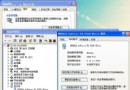
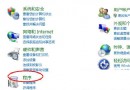
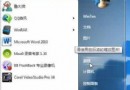
Win 7 自動更新安裝完畢強制重開機(最多延遲 4 小時)干擾工作。透過本地群組原則可禁止有使用者登入時自動重開機。
gpedit.msc
設定後更新完成不再強制重開機,下次手動重開機時才會套用更新,徹底擺脫被動重開機困擾。
Windows 7 假死/無回應五大典型場景與針對性修復
Windows 7 刻錄 ISO 映像檔製作開機光碟完整教學
Windows 7 藍畫面錯誤代碼完整對照表與中文說明
正版 Win7 + Windows Live 打造專屬「筋斗雲」:三步驟實現資料同步、分享與雲端生活
Win7 計算機視窗右側多出 USB 內容預覽欄的關閉方法
Google Chrome OS 或迫使微軟升級 Win 7 上網本規格
Windows 7 完整安裝流程圖文詳解 (含 Beta 7000 版本細節)
Win7 安裝 Telnet 用戶端與伺服器:開啟/關閉 Windows 功能一鍵啟用