每次執行舊程式都跳「相容性助理」詢問很煩人?兩套方法徹底關閉,乾淨不殘留。
方法一:服務停用(立即生效)
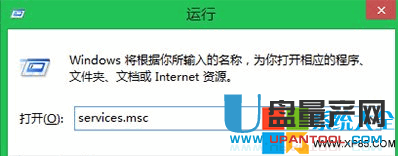
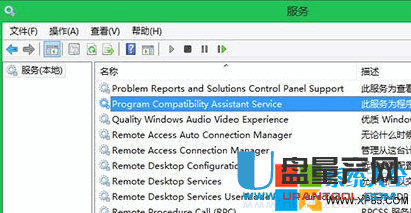
- Win+R →
services.msc。
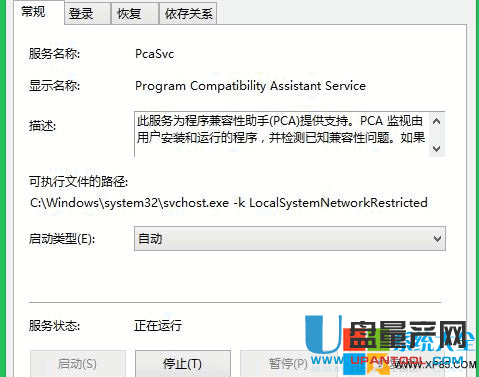
- 找「Program Compatibility Assistant Service」→ 右鍵「內容」。
- 「啟動類型」改「停用」→ 「停止」服務 → 確定 → 重開機。
方法二:群組原則(企業部署首選)
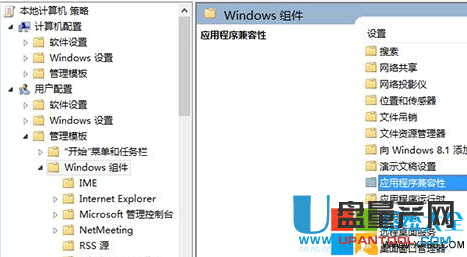
- Win+R →
gpedit.msc。
- 「使用者設定」→「系統管理範本」→「Windows 元件」→「應用程式相容性」。
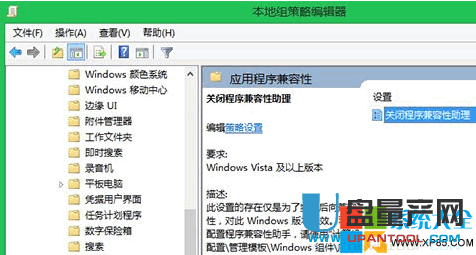
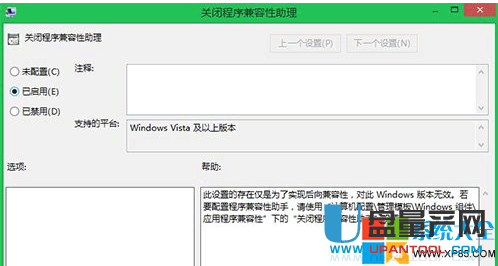
- 雙擊「關閉程式相容性助理」→「已啟用」→ 確定。
gpupdate /force 生效。
注意:停用後舊程式若真有相容性問題需自行右鍵「內容」→「相容性」手動設定;家用版無 gpedit.msc 請用方法一。