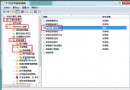
回收站圖示點擊無反應或報錯,可透過資料夾選項顯示隱藏系統檔案,直接進入磁碟根目錄的 $Recycle.Bin 資料夾存取被刪除的檔案。
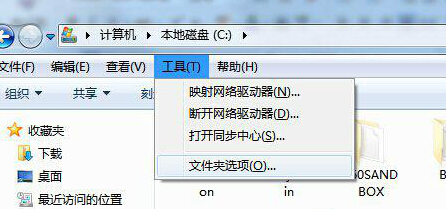
$Recycle.Bin → 進入對應 SID 子資料夾 → 即可看到回收站內檔案,可複製還原。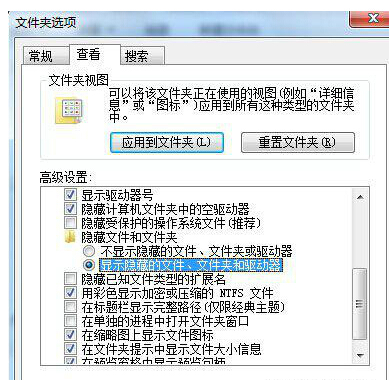
操作完成後建議恢復「隱藏受保護的作業系統檔案」勾選,避免誤刪關鍵系統檔案。
使用 USB 隨身碟/行動硬碟安裝 Windows 7 完整教學
修復 Windows 7 資源管理器「收藏夾」無法展開:登錄補回 IsShortcut 字串值
五招解決 Windows 7 資源管理器停止回應:開機假死、隨機當機、縮圖崩潰、右鍵分區卡住、複製檔案失敗
Win7 設定媒體中心開機自動啟動:修改登錄檔 AutoplayHandlers 預設值為 EHome
Win7 啟用 Aero Peek 預覽桌面:三種方法 (工作列屬性、效能選項、Desktop Window Manager 服務)
Win7 便箋完全指南:喚出、變色、格式熱鍵、資料儲存路徑、刪除確認關閉