Windows 7 內建截圖功能強大且無需第三方軟體,筆電鍵盤上的 Fn+PrtSc 組合鍵更能靈活應對不同場景。
模式一:全螢幕截圖
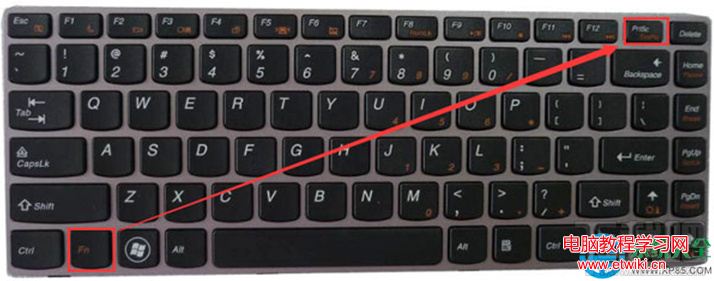
打開目標畫面(如桌面),同時按下 Fn + PrtSc,完整螢幕畫面即存入剪貼簿。
模式二:單一視窗截圖
點選目標視窗使其聚焦,按下 Alt + Fn + PrtSc,僅擷取當前活動視窗。
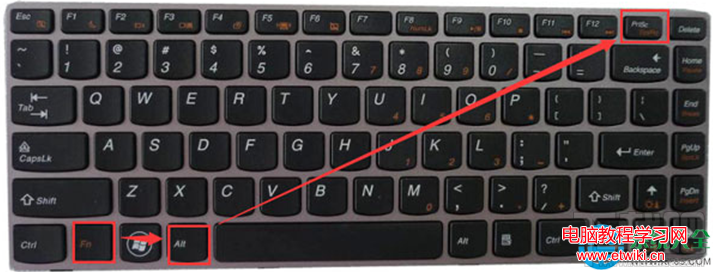
模式三:貼上與儲存
- 開啟 Word、畫圖、PowerPoint 或聊天視窗;
- 按 Ctrl+V 或右鍵「貼上」;
- 若需存成檔案,在畫圖工具中另存為 PNG/JPG。
進階技巧
- 擷取工具:開始→所有程式→附屬應用程式→擷取工具,支援矩形、自由形狀、視窗、全螢幕四種模式,並可直接標註、儲存、郵寄。
- Win+PrtSc(Win8/10 專屬):自動存圖至「圖片\螢幕擷取畫面」資料夾,Win7 需搭配第三方工具實現。