Windows 7 自動建立大量 IPv6 隧道介面(Teredo、6to4、ISATAP),ipconfig /all 輸出數十行干擾 IPv4 資訊檢視。三條指令一鍵關閉:
netsh interface teredo set state disable
netsh interface 6to4 set state disabled
netsh interface isatap set state disabled
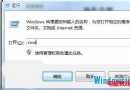
管理員命令提示字元依序執行即可。需恢復時執行:
netsh interface teredo set state default
netsh interface 6to4 set state default
netsh interface isatap set state default
原理:Windows 在 IPv6 遷移期啟用多種轉換技術,筆記本頻繁切換網路環境下隧道介面疊加,關閉後 ipconfig 輸出清爽,專注 IPv4 除錯。