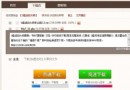
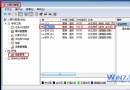
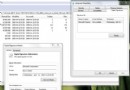
ReadyBoost 從 Vista 導入,Win7 增強實用性。利用快閃記憶體隨機讀寫優勢擴充系統快取,解決記憶體插槽不足/預算/技術限制無法加裝記憶體的困境。需 USB 2.0 隨身碟/讀卡機,4K 隨機讀取 >3.5MB/s、512K 隨機寫入 >2.5MB/s (主流產品均達標)。操作:插入隨身碟 → 自動播放選「加速我的系統」或右鍵「屬性」→「ReadyBoost」索引標籤。三選項:「不使用」、「專用於 ReadyBoost」(全盤剩餘空間)、「使用這裡指定的空間」。建議配置 1:1 至 2.5:1 (記憶體:快取)。啟用後隨身碟原有檔案不受影響。效果:記憶體壓力大、硬碟頻繁讀寫時系統回應更迅速,非整體效能倍增,但對記憶體不足用戶體驗提升明顯。