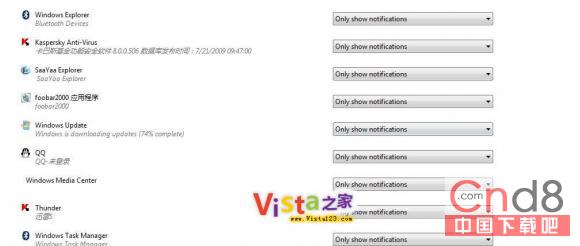
Vista/Win7 通知區域圖示歷史記錄隨時間累積,卸載軟體後殘留圖示仍顯示。匯入以下 .reg 即可清空:
Windows Registry Editor Version 5.00
[HKEY_CLASSES_ROOT\Local Settings\Software\Microsoft\Windows\CurrentVersion\TrayNotify]
"LastAdvertisement"=-
"PastIconsStream"=-
存為 .reg 雙擊匯入,即時生效,通知區域圖示歷史記錄乾淨歸零。