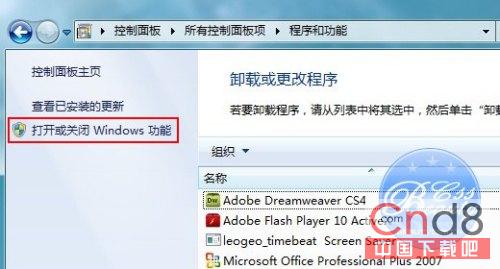
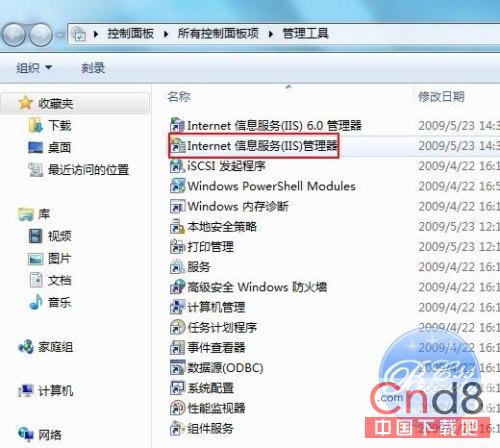
在 Windows 7 啟用 IIS 7 並正確設定 ASP 執行環境:
Win7 字體改壞了?一鍵還原預設字體設定找回原廠手感
Windows 7 善用「認證管理器」儲存登入憑證,提高遠端存取與網站登入速度
Win7 系統還原點實戰:比 Ghost 彈性、不動個人資料、適合小故障回滾、建議系統碟啟用、大動作前手動建立還原點
Win 7 最大殺手級特性是「智慧」:多核心調度效能超越 XP/Vista 250%
Win7 開機藍屏修復:善用「上一次正確配置」與安全模式
重灌 Windows 系統十大理由與五大方法:從光碟到金山衛士的演進
Win7 家庭基本版遺失 Windows Standard 配色方案修復:調整顏色品質至 32 位
在 Windows 7 虛擬機中安裝其他版本 Windows 7 的完整指南