Windows 內建複製功能速度不理想,許多人改用 FastCopy、TeraCopy。其實 Win7 內建 Robocopy (Robust File Copy) 自 Vista/Win7 起支援多執行緒,速度極快,並支援斷點續傳、定時複製、鏡像備份、保留 ACL/時間戳記等進階功能。
複製光碟 F:\ 所有檔案到 E:\CD:
Robocopy /s F:\ E:\CD
即使中途取出光碟,Robocopy 會等待重新插入後繼續。
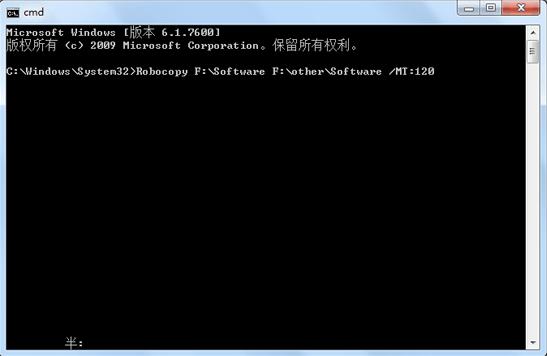
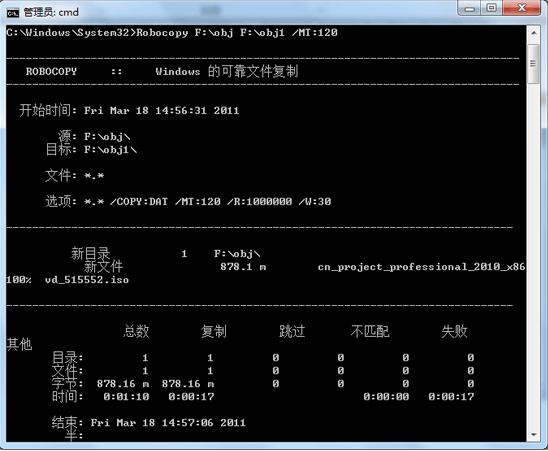
Robocopy 來源 目的地 /E /MT:50 /LOG:copy.log
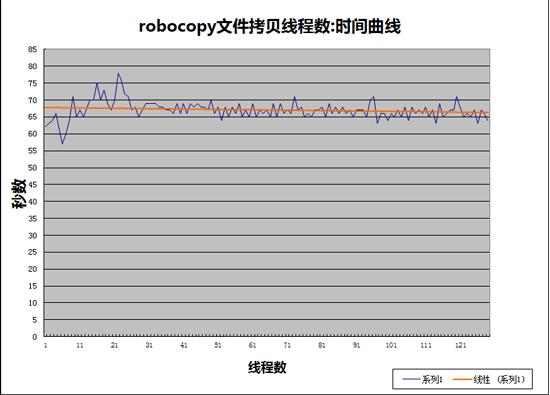
/E:包含子目錄 (含空目錄)/MT:50:使用 50 執行緒 (預設 8,最大 128)/LOG:記錄輸出至檔案更多選項請執行 robocopy /? 查詢。
建議用 PowerShell 腳本測試不同執行緒數找出最佳值。Robocopy 還支援區域網路複製、定時作業 (避開尖峰時段),功能極為強大。