Windows XP Windows 7 Windows 2003 Windows Vista Windows 綜合教學 Linux 系統教學
Windows 10 Windows 8 Windows 2008 Windows NT Windows Server 電腦軟體教學

手動修正 Win7 IPv6 介面識別碼隨機化缺陷:netsh 指令強制使用 EUI-64

編輯:Windows 7 系統介紹

背景知識

Win7 雖支援 IPv6,但預設採用 RFC 4941 隨機介面識別碼,而非標準 NDP 自動產生的 EUI-64,可能與 Cisco Catalyst 等網路設備互通產生問題。

修正指令

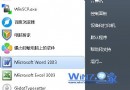
以管理員身分開啟命令提示字元,執行:

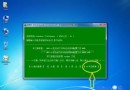
netsh interface ipv6 set global randomizeidentifiers=disabled

永久生效建議

  • 將指令存為 .bat 批次檔,放入「啟動」資料夾,開機自動執行。
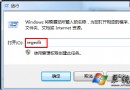
  • 或匯入登錄檔實現同樣效果。

展望

微軟尚未實作更安全的 SEND (RFC 3971),期望後續 Service Pack 補上;在此之前,手動關閉隨機化為最佳實務。

Copyright © Windows教程網 All Rights Reserved