瀏覽網頁時 IE 或下載工具自動下載不明檔案,可能包含惡意程式碼並自動執行,威脅系統安全。
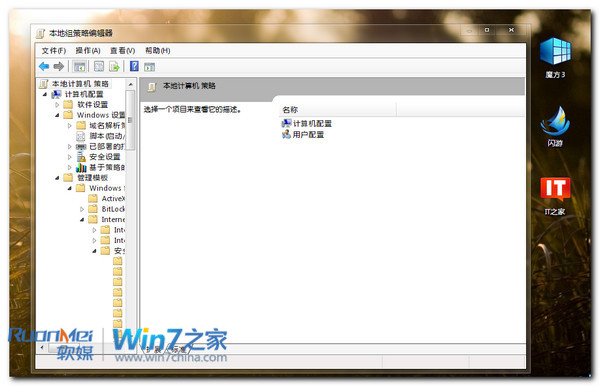
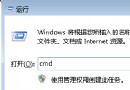
gpedit.msc
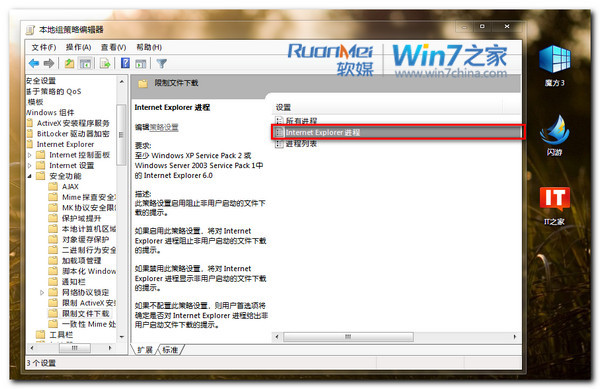
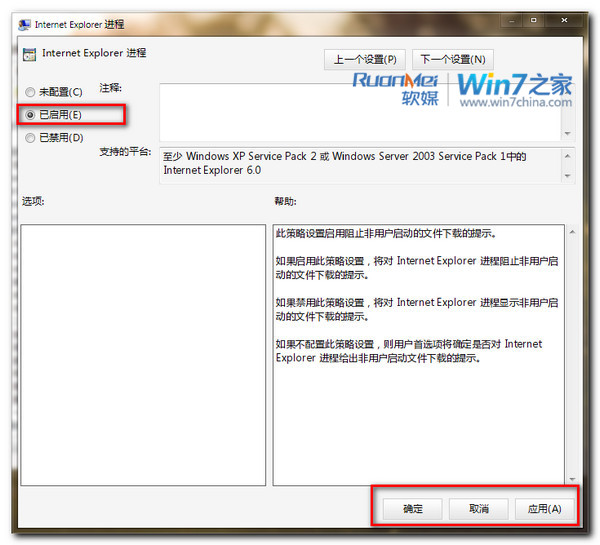
電腦設定 → 系統管理範本 → Windows 元件 → Internet Explorer → 安全性功能 → 限制檔案下載
網頁內容不再自動下載儲存至本機,使用者需主動另存新檔,大幅降低駭客利用自動下載植入木馬風險。
判別 Windows 7 正版與盜版:微軟官方「如何辨識真偽」網站指南
Win7 誤刪系統隱藏分區導致崩潰:安裝媒體 DiskPart 重建引導分區修復
如何清除 Windows 7 瀏覽與開啟記錄?保護隱私設定教學
Win7 使用 Windows 體驗指數評分硬體效能:內建基準測試
Win7 如何禁用電源鍵防止誤關機?電源選項設定「不採取任何動作」
網友分享:Windows 7 無法啟動問題一例 —— 先啟動再裝 Daemon Tools 即可解決
Win7 內建磁碟碎片整理排程自動化設定
Windows 7 修改「我的文件」預設儲存位置:遷移至非系統磁碟